
Curating a Home Office That Boosts Productivity and Peace of Mind
Curating a Home Office That Boosts Productivity and Peace of Mind
A thoughtfully designed home office should support more than completing a list of daily tasks. It should help you concentrate, remain physically comfortable, manage distractions, and finish the working day without feeling mentally overwhelmed.
The most successful workspaces combine an ergonomic layout with effective storage, balanced lighting, carefully chosen colors, and enough personality to make spending time there enjoyable. Whether the office occupies an entire room or a compact corner, every element can contribute to greater productivity and a calmer state of mind.
Start With the Way You Actually Work
Before choosing furniture or decorative objects, consider how the office will be used. Someone working primarily from a laptop may need a very different arrangement from a person using multiple monitors, handling paperwork, drawing, recording videos, or participating in frequent online meetings.
Make a short list of the activities performed most often. This helps determine the required desk size, storage capacity, lighting, equipment, and available movement space.
A practical home office may need to accommodate:
- Focused computer work
- Video conferences and online presentations
- Reading, writing, or sketching
- Paperwork and document storage
- Creative equipment or specialist tools
- Occasional meetings or collaborative work
Designing around real working habits prevents the room from becoming visually attractive but functionally frustrating.
Position the Desk With Purpose
The position of the desk influences concentration, comfort, and the overall atmosphere of the office. Natural light is valuable, but placing a computer directly in front of or behind a bright window can create reflections and visual strain.
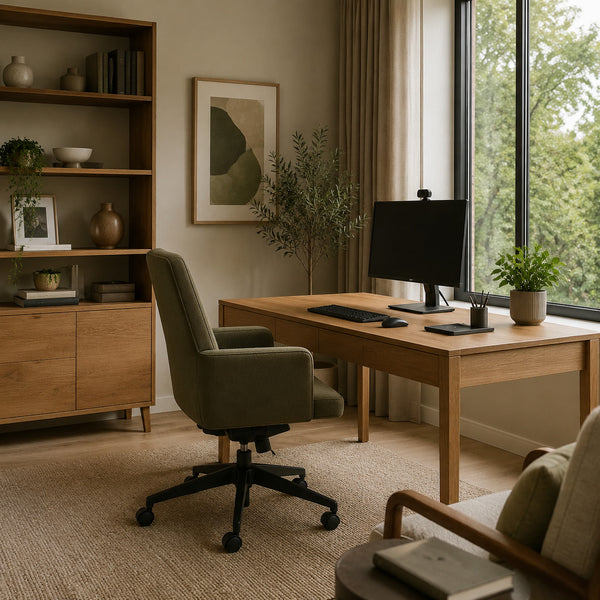
Whenever possible, position the desk perpendicular to the window. This allows daylight to reach the workspace from the side while reducing glare on the monitor. Adjustable curtains or blinds provide additional control as the sun changes position.
Leave sufficient space behind the chair so that it can move freely. Frequently used storage should remain within comfortable reach, while less essential items can be placed farther away.
If the room allows it, facing the desk toward the interior rather than directly at a blank wall may create a more open and comfortable working position.
Build an Ergonomic Workstation
Good ergonomics reduces physical fatigue and makes sustained concentration easier. The chair, desk, monitor, keyboard, and lighting should work together rather than being selected independently.
Choose a supportive chair with adjustable height and adequate lumbar support. When seated, the feet should rest comfortably on the floor or on a footrest, while the knees remain approximately level with the hips.
The monitor should be positioned directly in front of the user, with the top of the screen close to eye level. This reduces the tendency to bend the neck forward. An external keyboard and mouse can greatly improve posture when a laptop is used for extended periods.
Ergonomic Essentials
- Adjustable chair with lumbar support
- Monitor positioned near eye level
- Keyboard and mouse centered with the body
- Forearms supported in a relaxed position
- Feet placed firmly on the floor or a footrest
- Frequently used equipment within easy reach
- Enough space to change position throughout the day
Control Clutter Before It Controls the Room
Visual clutter can create a constant sense of unfinished work. Papers, charging cables, packaging, office supplies, and miscellaneous objects quickly accumulate when they do not have designated storage.
Begin by separating the items used every day from those needed only occasionally. Daily essentials can remain on the desk or in the nearest drawer. Other supplies should be stored in closed cabinets, organized boxes, or clearly defined shelf sections.
A simple catch-all tray can contain small objects such as keys, memory cards, cables, and pens. Drawer organizers prevent these items from becoming a tangled collection beneath the desktop.
Closed storage is particularly valuable because it creates visual calm. Open shelving can still be used, but it should contain a deliberate mixture of practical and decorative objects rather than becoming overflow storage.
Develop a Simple Daily Reset
An organized office is easier to maintain when the workspace is reset at the end of each day. This does not require an elaborate cleaning routine. Five minutes is often enough to return documents, remove cups, connect chargers, and prepare the desk for the following morning.
A practical end-of-day reset might include:
- Returning documents to their folders
- Removing unnecessary objects from the desk
- Writing down the next day’s priorities
- Connecting devices that need charging
- Closing unnecessary browser tabs and applications
- Adjusting the chair and lighting for the next session
This small ritual creates a psychological boundary between work and personal time, especially when the office is part of another living area.
Manage Cables and Technology
Visible cables can make even an otherwise organized office appear untidy. They also collect dust and interfere with movement.
Mount a cable tray beneath the desk, group related wires with reusable ties, and secure charging cables where they can be reached without falling behind the furniture. A power strip attached beneath or behind the desktop keeps connections together and reduces the number of wires crossing the floor.
Place equipment according to frequency of use. Printers and external drives do not necessarily need to occupy valuable desktop space. They can be placed inside ventilated cabinets or on nearby shelves if they remain accessible.
Create a Professional Video-Call Background
The area visible behind the desk has become an important part of the modern home office. A good video-call background should feel polished without becoming distracting or artificially staged.
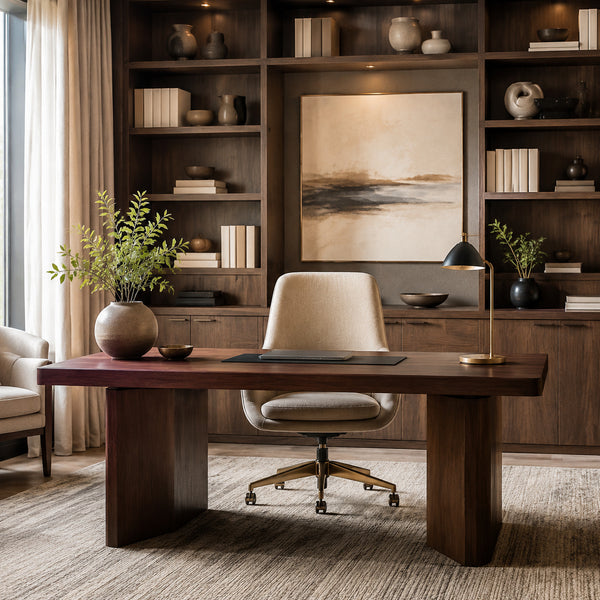
Open shelves can provide an attractive setting when arranged with restraint. Combine a few books, ceramics, plants, and artwork while leaving some empty space between groups. Avoid filling every shelf or displaying objects that reveal private information.
A single large artwork, a textured wall, or a well-proportioned cabinet can also create a clean background. Position the camera so that doors, cluttered circulation areas, and strong windows are not directly behind the chair.
Video-Call Background Checklist
- Keep the composition balanced but not perfectly rigid.
- Remove personal documents and private information.
- Avoid small, visually distracting objects.
- Use artwork without reflective glass where possible.
- Include a plant or natural material for softness.
- Provide gentle light on the face from the front or side.
- Avoid relying entirely on a bright ceiling light.
Choose Colors That Support the Working Day
Color can influence how energetic, calm, or focused a room feels. The ideal palette depends on the type of work being performed and the amount of natural light available.
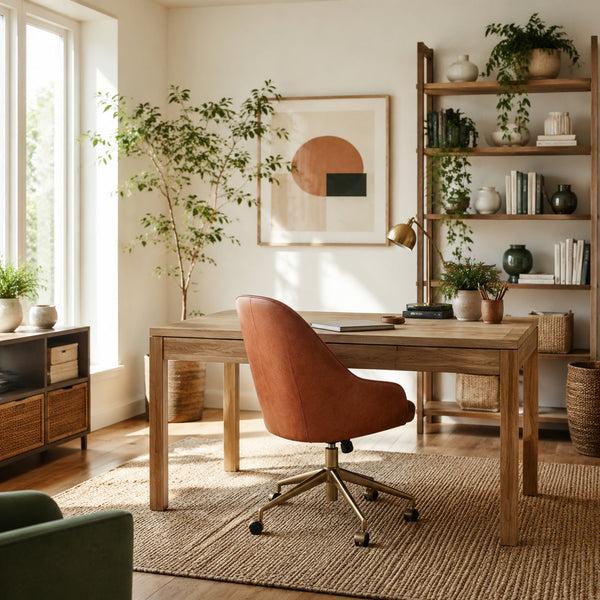
Warm whites, soft beige, and pale greige create a flexible and peaceful background. Muted green can encourage a connection with nature, while controlled terracotta or ochre accents introduce warmth and energy. Soft blue may help produce a calm atmosphere for analytical or detail-oriented work.
Highly saturated colors can be effective in small amounts but may become visually tiring across large surfaces. Use energetic colors through a chair, artwork, storage accessory, or selected wall rather than applying them indiscriminately throughout the room.
Useful Home Office Color Combinations
- Warm white, natural oak, and muted olive green
- Soft beige, walnut, and restrained terracotta
- Pale greige, black details, and warm timber
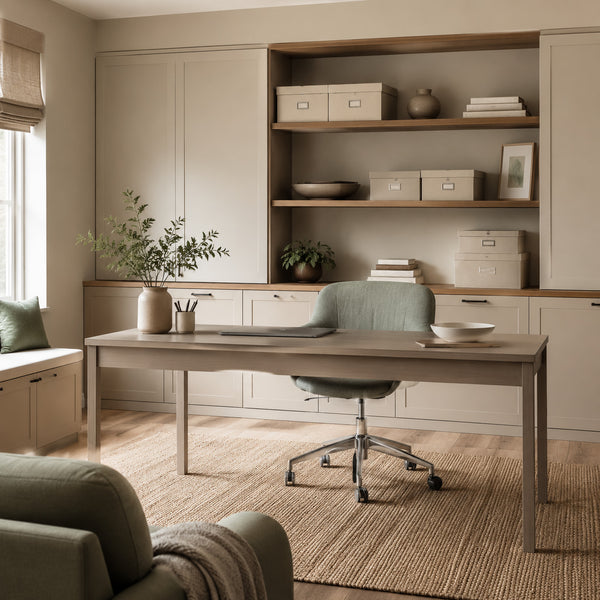
- Soft blue-grey, cream, and light oak
- Plaster tones, deep green, and aged brass
Layer the Lighting
Relying on one central ceiling light rarely produces a comfortable workspace. A productive office benefits from several light sources serving different purposes.
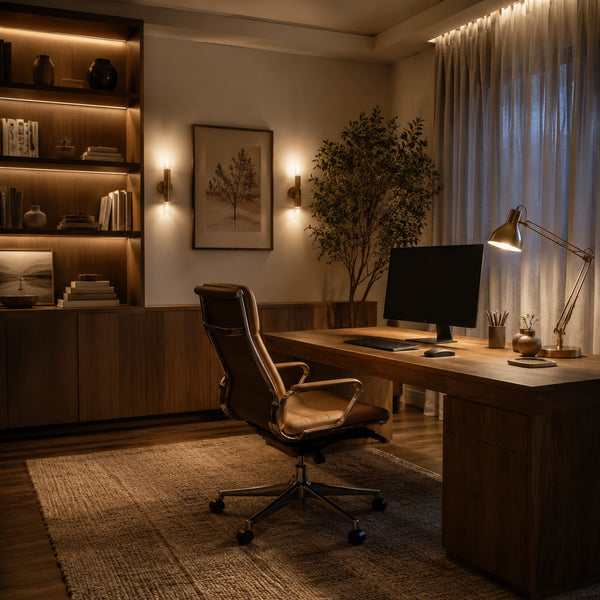
Ambient lighting provides general illumination, while a desk lamp directs light toward reading, writing, or detailed work. Wall sconces, shelf lighting, or a floor lamp can soften the atmosphere and reduce strong contrast between the monitor and the surrounding room.
During the day, make the most of natural light without allowing it to create glare. In the evening, warmer illumination can make the office feel calmer, although the desk still needs enough focused light to prevent visual fatigue.
Three Essential Lighting Layers
- Ambient Light: General illumination from ceiling fixtures, wall lights, or indirect sources.
- Task Light: Adjustable illumination directed toward the main working surface.
- Accent Light: Softer light used on shelving, artwork, or architectural features.
Dimmers make the lighting more adaptable and allow the atmosphere to change between focused daytime work and quieter evening tasks.
Bring Natural Elements Into the Office
Natural materials can make a workspace feel less clinical and more connected to the rest of the home. Timber furniture, linen curtains, woven rugs, ceramics, stone accessories, and indoor plants introduce texture and visual warmth.
Plants can soften shelves and empty corners, although they should be selected according to the available light and maintenance requirements. One healthy, well-positioned plant often contributes more than numerous neglected ones.
A view of trees, a courtyard, or even the changing sky can provide short moments of visual rest. If no natural view is available, botanical artwork and organic materials can create a similar sense of softness.
Designing a Home Office in a Small Space
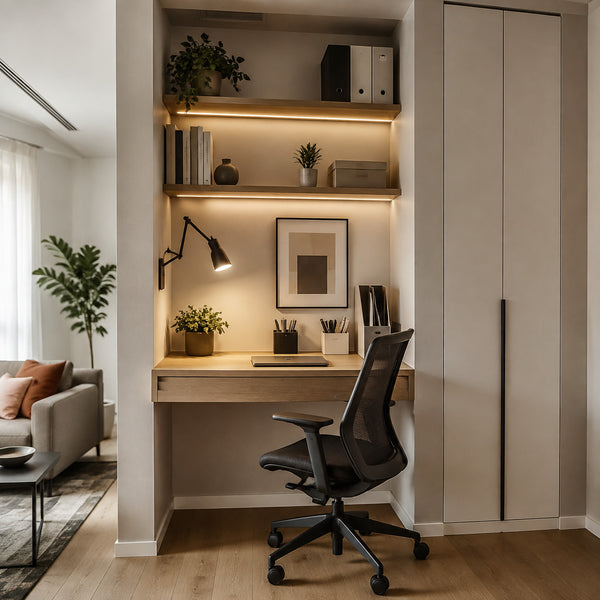
A dedicated room is helpful but not essential. A productive workstation can be incorporated into a living room, bedroom, hallway, or unused alcove when the dimensions are carefully considered.
Wall-mounted desks preserve floor space and can be combined with shelving above. Tall storage uses vertical space efficiently, while closed cabinetry helps the office disappear visually when the working day ends.
In a shared room, maintain a connection with the surrounding decor through consistent colors and materials. The office should appear integrated rather than looking like unrelated commercial furniture placed inside a home.
Small-Space Office Ideas
- Install a wall-mounted or narrow writing desk.
- Use shelves above the workstation for vertical storage.
- Select a chair that is ergonomic but visually suitable for the room.
- Place a closed cabinet beside or beneath the desk.
- Add a wall-mounted task light to preserve desktop space.
- Use baskets or boxes to conceal smaller supplies.
- Keep the desktop as open as possible.
Protect the Workspace From Distractions
A peaceful office does not need to be silent, but it should minimize avoidable interruptions. Position the workstation away from the busiest circulation route whenever possible and keep entertainment devices outside the direct field of view.
Soft materials such as curtains, rugs, upholstered seating, and fabric-covered panels can reduce echoes and make online conversations clearer. Headphones may help in a shared household, but the room itself should still support concentration.
Digital clutter can be as distracting as physical clutter. Organize frequently used files, reduce unnecessary notifications, and avoid keeping every communication platform visible throughout the day.
Add Personality Without Creating Distraction
A home office should not feel impersonal. Artwork, books, travel objects, family photographs, or handcrafted pieces can provide motivation and emotional connection.
The key is editing. Select objects that have genuine value and give them enough room to be appreciated. Grouping a small collection often looks more intentional than distributing numerous unrelated accessories across every available surface.
Personal decoration should support the atmosphere of the room rather than compete continuously for attention.
Create Boundaries Between Work and Home
When the office is located within a shared living space, visual and behavioral boundaries become particularly important. A rug, change in wall color, shelving unit, or focused light can define the working zone.
At the end of the day, close the laptop, store paperwork, turn off task lighting, and leave the chair in position. These actions signal that the working period has finished.
If possible, avoid using the office chair or desk for unrelated evening activities. Maintaining a clear purpose for the area can make it easier to concentrate when work begins and disengage when it ends.
Common Home Office Mistakes
- Choosing appearance over ergonomic comfort
- Positioning the monitor where daylight creates glare
- Using only one harsh overhead light
- Allowing open shelving to become overcrowded
- Ignoring the background visible during video calls
- Using large areas of highly stimulating color
- Leaving cables and charging equipment unmanaged
- Failing to provide closed storage
- Placing the workstation in a busy circulation route
- Keeping work materials visible throughout personal time
A Practical Home Office Checklist
- Position the desk to benefit from controlled natural light.
- Use a supportive and adjustable office chair.
- Keep the monitor near eye level.
- Provide both task and ambient lighting.
- Create designated storage for every frequently used item.
- Conceal unnecessary cables and equipment.
- Prepare a balanced video-call background.
- Use a calm base palette with controlled energizing accents.
- Introduce natural materials and plants.
- Complete a brief reset at the end of each working day.
Final Thoughts
A productive home office is not created by adding more equipment or filling the room with conventional workplace furniture. It comes from understanding how you work and arranging the space to support those habits.
Good posture, controlled light, practical storage, a calm background, and carefully selected colors can reduce friction throughout the working day. When these functional elements are combined with natural materials and meaningful decoration, the office becomes a place that supports both concentration and peace of mind.