
Move Without Thinking: Set Up a Wearable‑Synced, Circadian‑Lit Sensor Network to Automate Microbreaks in Your Home Office
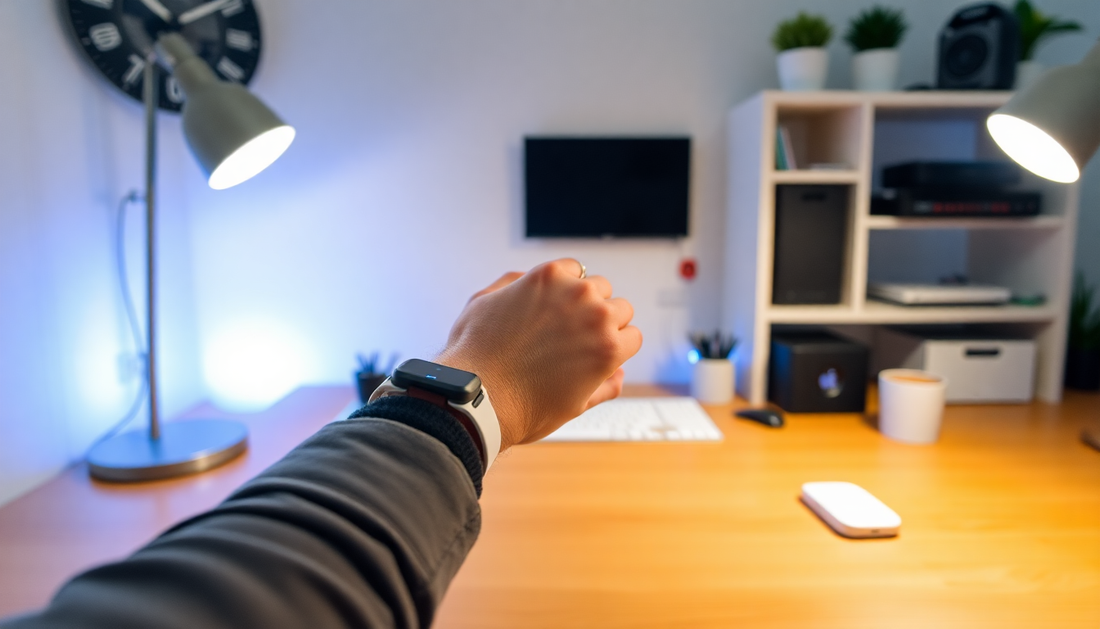
Introduction: why automate microbreaks in 2025
Working from home is now a stable part of daily life for many people. But despite better ergonomics and shorter commutes, long uninterrupted work stretches, poor lighting, and screen overload continue to cause fatigue, neck and back pain, disrupted sleep, and dips in cognitive performance. The simplest remedy is movement: short microbreaks taken frequently. The harder part is remembering to take them and timing them when they will be most helpful.
This article shows how to build a wearable synced, circadian lit sensor network that reduces friction and nudges you into helpful microbreaks automatically. The system combines physiological signals from a wearable, ambient and desk sensors, and tunable lighting to create context aware, private, and low friction microbreak automation that operates in the background so you can move without thinking.
The core idea in one sentence
Use wearable physiology to detect when you need a break, ambient sensors to know context, and circadian tuned lighting plus multimodal prompts to trigger effective microbreaks that improve movement, attention, and sleep while preserving privacy.
Why this works: physiology, circadian biology, and behavioral nudges
- Physiology first: heart rate and heart rate variability reflect autonomic state. Drops in HRV and sustained heart rate increases often precede fatigue and make breaks more effective if prompted early.
- Circadian lighting: exposure to the right spectrum and intensity at the right time supports alertness during the day and sleep readiness at night. Coordinating light with breaks improves recovery.
- Behavioral nudging: subtle, multimodal prompts reduce friction and increase compliance without being intrusive. Haptic cues, ambient light changes, and short voice prompts work better together than any single channel.
What you will build: an overview of components
- Wearable telemetry source providing heart rate, HRV, activity, and optionally skin temperature.
- Local sensors: presence/motion sensors, desk occupancy sensor or pressure pad, ambient light sensor, and optional CO2 sensor for air quality context.
- Circadian tunable lighting capable of adjusting color temperature and brightness on short notice.
- Controller and automation platform such as Home Assistant, Node RED, or a privacy focused local server to process signals and run automations.
- User output devices: wearable haptics, smart speaker for TTS, phone notifications, and visual lighting scenes.
Hardware deep dive
Wearables
- Ring style (Oura): unobtrusive, good sleep and HRV tracking, sometimes slower heart rate streaming. Best for night/day baseline tracking.
- Wristwatch style (Apple Watch, Wear OS, Fitbit): continuous heart rate, quicker notifications, haptic feedback. Apple Watch integrates well with Apple ecosystem and has strong developer tooling for health data.
- Chest straps: most accurate heart rate and HRV, but less practical for all day wear in a home office.
Choose the wearable that fits your comfort and data requirements. If you want frequent live signals and immediate haptic cues, wrist devices often provide the best balance.
Lighting
- Tunable bulbs and fixtures that support color temperature changes from warm to cool and brightness control. Look for Zigbee, Thread, Matter, or Wi Fi support.
- LED panels or strip lights can add indirect illumination to reduce glare and provide pleasant pulsing effects for cues.
- Consider melanopic lux for circadian impact. Many smart lighting solutions now publish spectral information or provide circadian presets.
Sensors and controllers
- Motion sensors: PIR sensors for room presence detection.
- Desk sensors: pressure mats, load sensors, or proximity sensors to know if you are seated.
- Ambient light sensors to measure actual lux at eye level. Smartphone sensors are useful for quick calibration but install a dedicated sensor for automation accuracy.
- Air quality sensors (CO2): high CO2 correlates with reduced cognitive performance and can be an additional trigger to take a ventilation break.
- Controller hardware: Raspberry Pi 4, Intel NUC, or similar always on machine to run Home Assistant or Node RED. Alternatively, privacy friendly NAS or local server setups work well.
Software and integrations
- Home Assistant: powerful local automation platform with many integrations for wearables, lights, and sensors. Add-ons and community integrations expand functionality.
- Node RED: visual flows and complex logic, runs alongside Home Assistant or on its own, excellent for signal processing and stateful automations.
- MQTT: lightweight messaging for sensors and microcontrollers. ESPHome, Tasmota, and custom ESP32 devices publish telemetry to MQTT broker used by the controller.
- ESPHome: fast firmware for ESP32/ESP8266 devices to run sensors and publish to Home Assistant or MQTT with minimal effort.
Sensing strategy and signal processing
A robust system needs to smooth noisy signals and create baselines per user. Use the following steps:
- Baseline calibration: collect 7 to 14 days of data before aggressive automation. Compute personal resting HRV median and typical sedentary episode durations.
- Smoothing: use rolling averages and exponential moving averages over short windows to avoid spurious triggers from momentary fluctuations.
- Multimodal confirmation: require two or more corroborating signals for a trigger, for example HRV drop plus continuous sitting for 30 minutes, or heart rate above threshold plus CO2 above limit.
- Adaptive thresholds: thresholds should be percentile based relative to baseline rather than fixed absolute numbers. For example, trigger when HRV drops below the 20th percentile of recent resting HRV.
Circadian lighting design principles
- Morning and early day: bright, cool color temperature 5000 to 6500 K and higher melanopic lux to promote alertness and alignment with daytime circadian phase.
- Midday: neutral white 3500 to 4500 K with moderate brightness to preserve contrast and focus while avoiding overexposure.
- Late afternoon and evening: warm light 2000 to 3000 K and lower brightness to reduce blue light and support melatonin onset.
- Microbreak pulses: use brief warm pulses or gentle dimming combined with color shifts for 30 to 90 seconds to signal a movement nudge without harshness.
- Transitions: smooth transitions over 20 to 60 seconds feel natural. Abrupt changes are jarring and counterproductive.
Microbreak design: what to ask users to do
Not all microbreaks are the same. The effectiveness depends on timing and type.
- Standing and gentle walking: 2 to 5 minutes of standing and walking increases circulation and reduces vascular strain.
- Eye breaks: 20 20 20 rule variations, 20 seconds looking 20 feet away every 20 minutes, or 30 seconds of eye roll and blink exercises to reduce digital eye strain.
- Stretch and mobility: short guided mobility sequences for neck, shoulders, and lower back. Use 60 to 120 second routines with simple instructions.
- Breathing and HRV resetting: 60 to 90 seconds of guided breathing at resonant frequency can restore HRV and reduce stress quickly.
- Ventilation and reset: brief windows and walking outside when CO2 or poor air quality is detected.
Automation logic patterns
Some example logic patterns for combining signals into actions.
- Physiology first: trigger when wearable HRV falls below personal threshold and sitting time exceeds X minutes.
- Time plus context: default cadence 50 minutes sitting, unless wearable indicates elevated stress earlier, in which case trigger sooner.
- Air quality trigger: if CO2 exceeds 1,000 ppm and user is present, trigger a ventilation break and a 5 minute walking suggestion.
- Meeting aware: suppress or dim prompts if calendar integration indicates in call, or if microphone is active. Instead schedule a recovery break after the meeting.
Example Home Assistant automation snippets and flow
Below are conceptual examples. Adapt names and entities to your setup. Test carefully before enabling escalations.
Simple physiology based trigger
trigger:
  - platform: numeric_state
    entity_id: sensor.user_hrv_ema
    below: 40
condition:
  - condition: state
    entity_id: binary_sensor.desk_occupied
    state: 'on'
action:
  - service: notify.wearable_haptic
    data:
      message: Microbreak time. Stand and do a 90 second breathing exercise.
  - service: light.turn_on
    data:
      entity_id: light.office_main
      kelvin: 3000
      brightness_pct: 60
  - service: media_player.play_media
    data:
      entity_id: media_player.office_speaker
      media_content_id: breathing_guide_90s
      media_content_type: music
Note: replace sensor names and media ids with your actual devices.
Progressive escalation flow
trigger:
  - platform: state
    entity_id: input_boolean.microbreak_pending
    to: 'on'
action:
  - service: notify.wearable_haptic
    data: { message: Gentle nudge. Please stand. }
  - delay: 00:02:00
  - condition: state
    entity_id: binary_sensor.desk_occupied
    state: 'on'
  - service: tts.google_say
    data: { message: You are still seated. Please take a two minute walk now }
  - service: light.turn_on
    data: { entity_id: light.office_main, brightness_pct: 100, kelvin: 4000 }
Node RED example flow idea
Use Node RED to perform more advanced signal fusion and learning. Example nodes and roles:
- Input nodes: wearable HR, HRV, step count, desk sensor, motion, CO2, calendar events.
- Processing nodes: filters for EMA smoothing, baseline comparators, and percentile calculators.
- Decision nodes: state machine determining break pending, suppressed, or escalated.
- Output nodes: MQTT notification to wearable, HTTP TTS calls, light scene triggers.
Personalization and learning strategies
- Start with conservative heuristics and then reduce false positives by learning from user responses. For example, increase HRV threshold sensitivity only if user accepts 70 percent of prompts.
- Collect simple feedback after a prompt such as helpful yes no or a 1 5 scale. Use that to update scheduling heuristics.
- Avoid overfitting: changes should be slow and require multiple confirmations to avoid chasing noise.
- Consider lightweight reinforcement learning or contextual bandits if you want autonomous optimization. Keep models local and interpretable for transparency.
Privacy, data handling, and security
- Process physiological signals locally when possible. Keep raw HR and HRV streams on a local server and only store derived metrics or summaries.
- Minimize retention: keep raw streams for no more than 7 to 30 days unless the user explicitly opts in to longer storage for research or coaching.
- Secure endpoints: require HTTPS for any cloud services, use strong authentication for Home Assistant, enable two factor authentication.
- Consent and multi occupant homes: provide clear opt in and opt out choices for each person. Show who is being tracked and provide easy disabling of sensors for privacy.
Accessibility and inclusivity
Design prompts that are accessible to people with hearing, vision, or mobility limitations.
- Provide multiple modalities: haptics for hearing impaired, text messages for hearing impaired users, visual cues for deaf users, audio guides for visually impaired users with high contrast visuals when helpful.
- Offer alternative break actions when mobility is limited: breathing exercises, seated stretches, eye relaxation.
Evaluation metrics and how to measure success
Set clear metrics and measure before and after to evaluate the system.
- Compliance rate: percentage of prompts followed within the expected window.
- Sedentary episode duration: average and maximum continuous sitting time.
- Physiological improvement: changes in baseline HRV and frequency of HRV dips.
- Subjective wellbeing: weekly self reports on fatigue, focus, and sleep quality.
- Energy and lighting impact: monitor daily energy use of lighting automations and tune pulse durations.
Troubleshooting and tuning guide
- Missed wearable notifications: verify notification permissions, battery saving modes, and that the wearable is synced to the phone or gateway.
- False triggers from noisy data: increase smoothing window, require multimodal confirmation, and inspect raw data to diagnose sensor drift.
- Prompts during meetings: integrate calendar and microphone activity, or use a focus mode switch to temporarily suppress prompts.
- Lighting color not matching schedule: check timezone and sunrise sunset automation settings and ensure circadian scheduler uses correct geographic coordinates.
Maintenance checklist
- Weekly: review missed and ignored prompts to detect bad rules.
- Monthly: update firmware for ESP devices and the hub; replace batteries in battery powered sensors.
- Quarterly: recalibrate ambient light sensors and re-baseline HRV after seasonal or lifestyle changes.
Advanced ideas and experiment suggestions
- Group staged breaks: if multiple household members use the system, stagger prompts so everyone can move without creating a noisy environment.
- Adaptive lighting choreography: combine multiple fixtures to create moving light gradients that guide movement without audio or haptics.
- Contextual microbreaks driven by task type: when code editor active, prefer eye and stretch breaks; when reading, prefer standing and walking.
- Weekly summaries and coaching: produce a local weekly report showing trends, with suggested schedule adjustments and sleep hygiene tips.
Real world use cases and sample defaults
Below are starting presets you can adapt based on chronotype and job style.
- Default heavy knowledge worker
- Sitting cadence: 50 minute active window then 3 minute microbreak.
- Physiology override: trigger earlier if HRV drops below personal 25th percentile.
- Lighting: 600 lux equivalent cool white in morning, neutral midday, warm evening.
- Meeting heavy worker
- Suppress prompts during meetings; schedule two 10 minute recovery breaks midday and late afternoon.
- Provide short post meeting breathing routine to reset HRV.
- Evening oriented shift worker
- Shift circadian schedule to match local wake window. Use cooler light in wake window and warm light in pre sleep window. Keep microbreaks short but frequent to sustain attention.
Case study scenarios
Case 1: knowledge worker, high compliance
Sam uses a wrist wearable and a pressure mat. Baseline HRV collected for 14 days. Automation triggers at 50 minutes sitting or earlier if HRV drops 15 percent from rolling median. Sam receives a haptic nudge and a 90 second breathing guide. Compliance rises to 78 percent and Sam reports less neck pain and better midday focus after 6 weeks.
Case 2: developer with meeting cluster
Jia has back to back meetings. System integrates with calendar and suppresses microbreaks during meetings, but schedules a 10 minute recovery after clusters longer than 90 minutes. The recovery is a walking prompt plus light reset. Subjective stress drops and sleep onset latency improves after 2 months.
Frequently asked questions
- Will constant prompts become annoying? Start subtle and allow users to tune frequency and intensity. Multimodal subtle cues reduce annoyance compared to loud interruptions.
- Does the lighting waste energy? Microbreak pulses are short. Use indirect low power lighting for cues and optimize brightness to balance efficacy and energy use.
- Can I use multiple wearables? Yes. Merge signals conservatively and prefer the device with the most reliable real time stream for triggering.
- Is HRV reliable for everyone? HRV is an individual metric. It works well as a relative indicator when baselined. For users with arrhythmia or irregular heart conditions consult a clinician before relying on HRV triggers.
Legal and ethical considerations
- Medical disclaimers: this system is for wellness nudges, not diagnosis or treatment. It is not a substitute for professional medical advice.
- Data ownership: make clear who owns the data. Local-first setups leave the user in full control and are recommended for sensitive health signals.
- Transparency: provide users with a dashboard showing what is tracked, how thresholds are set, and how to disable any component at will.
Step by step checklist to get started this week
- Choose a wearable and enable data sharing to the local automation platform.
- Install one motion sensor and one desk presence sensor and connect them to Home Assistant via ESPHome or MQTT.
- Replace or add a tunable white light and set a basic circadian schedule for the day.
- Create a single microbreak automation: trigger at 50 minutes or HRV drop, haptic nudge plus 90 second breathing audio, and a warm light pulse.
- Run for two weeks in passive logging mode where prompts are suggested but not escalated. Review compliance and adjust thresholds.
Final thoughts: designing for long term habit change
A successful microbreak automation is gentle, adaptive, and respectful of privacy. The goal is to make healthy movements effortless and timing effective by listening to your body and the environment. Start small, collect data locally, and iterate. Over time the network will become an ambient partner in your work day that keeps you moving without thinking, restores attentional resources, and supports sleep and wellbeing.
Resources and next steps
Start with one wearable, a desk sensor, and a single tunable light. Build the simplest automation that nudges you and iterate weekly. Keep privacy a priority and favor local processing. If you want sample YAML or a Node RED flow tailored to your specific devices, provide device names and I will draft a ready to import configuration.
Move without thinking. Build the network. Reclaim your body from the chair.