
Modular Microzones and Circadian Smart Lighting: Designing a Home Office–Fitness Suite That Adapts to Your Energy Rhythms
Executive summary
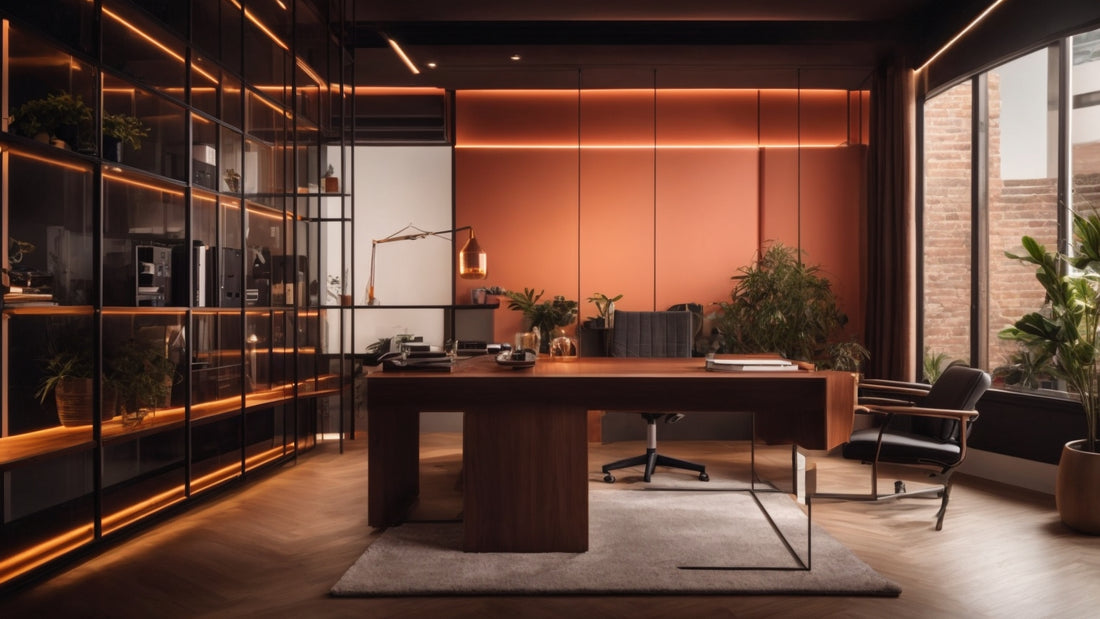
Creating a combined home office and fitness suite that responds to your biological and behavioral rhythms transforms a single room into a multipurpose, health-supporting environment. This deep-dive guide explains the design principles, lighting science, hardware choices, automation strategies, safety and ergonomic considerations, and practical implementation steps you need to build a modular microzone space with circadian smart lighting that adapts to your energy rhythms.
Why this approach matters
Work-from-home and hybrid schedules have blurred boundaries between productivity and self-care. A thoughtful design that separates activities into modular microzones while using circadian-aware lighting maximizes cognitive performance, supports exercise, and helps preserve nighttime sleep quality. The payoff includes higher focus, more consistent exercise habits, and better recovery.
The science in plain language: how light shapes energy rhythms
Our master circadian clock, located in the suprachiasmatic nucleus of the brain, is primarily entrained by light signals reaching specialized photoreceptors in the retina. These signals modulate physiology, including arousal, hormone release, body temperature and sleep propensity. Short-wavelength light (commonly perceived as blue) strongly stimulates the pathways that suppress melatonin and increase alertness. Conversely, warmer, lower-blue lighting reduces alerting signals and supports evening winding down.
Key measures to understand:
- Lux: a measure of visible light intensity. Useful for task illumination but not sufficient to predict biological effects.
- Melanopic equivalent daylight illuminance, or melanopic EDI: a metric standardized by CIE to quantify the biological potency of light for circadian systems. It weights light spectrum for the melanopsin photoreceptor sensitivity.
- Melanopic/photopic ratio: the relative biological potency compared to visual brightness; helpful when comparing fixtures of differing spectra.
Practical circadian lighting targets
Targets will vary by individual chronotype, age, and tasks. Use these as starting points and adjust for personal needs:
- Morning activation: melanopic EDI roughly 150–300 lux, cool white 4000K–6000K, bright enough to feel alert but not blinding. Aim for sustained exposure of 20–60 minutes in the morning for strong entrainment.
- Daytime focused work: visual illuminance 300–500 lux at eye level with moderate melanopic content to support cognitive performance without excessive glare.
- High-energy exercise: 500–1000 lux visual illuminance and elevated melanopic EDI for alertness, safety and perceived exertion control. Cooler temperatures 4500K–6000K are common for high-intensity sessions.
- Late afternoon transition: gradually reduce melanopic EDI across late afternoon and early evening to soften alertness peaks.
- Evening wind-down: melanopic EDI under 50 lux, warm color temperatures 2000K–3000K, and low overall illuminance to facilitate endogenous melatonin production.
Note: if you have a diagnosed sleep disorder, sensitive circadian rhythm, or light sensitivity, consult a clinician before using strong circadian stimulation strategies.
Design principle 1: modular microzones
Microzones are compact activity pockets within one room that are visually and functionally distinct. They let you switch activities quickly and maintain cognitive cues that reinforce the behavior you want.
Microzone types and elements:
- Focus microzone: sit/stand desk, ergonomic chair, adjustable task lamp, cable management and a camera-friendly backdrop.
- Video-call microzone: small lighting kit or ring light with controlled color temperature and diffuser to reduce shadows.
- Cardio microzone: foldable treadmill or compact bike, non-slip flooring or tiles, and ventilation or portable fan access.
- Strength microzone: wall-mounted bar or fold-out rack, fold-away bench, organized dumbbell or kettlebell storage, and protective flooring pads.
- Mobility and recovery microzone: yoga mat, foam roller, compression or massage tools, and quiet cooling fan or recovery light setup.
Design principle 2: clear transitions and minimal friction
Transition time is the enemy of consistent habits. Design for fast mode shifts so you can move from deep work to a workout without friction.
- Furniture: use fold-away desks, wall mounts, and casters to reconfigure quickly.
- Storage: vertical, wall-mounted storage or magnetic racks keep equipment visible but out of the way.
- Flooring: modular tiles that click together for the fitness microzone and roll back or stow to reveal office flooring.
- Lighting scenes and presets: a single tap or voice command should shift lighting, sound, and power to the appropriate microzone.
Design principle 3: sensory alignment
Use sight, sound, and airflow to reinforce the chosen activity. Lighting sets the biological and visual tone, while audio and air movement complete the sensory profile.
- Audio: dedicated speakers or a small soundbar to cue work playlists, warm-down music, or guided workouts.
- Airflow: smart fans or local ventilation that increase during workouts and remain quiet for calls.
- Tactile cues: different textures underfoot for work and fitness areas, like an office rug vs resilient rubber tiles.
Hardware and protocol choices in 2025
Choose hardware that supports both good lighting performance and robust integration.
- Tunable white fixtures: select LEDs with good spectral control and high color rendering index, ideally CRI ≥ 90 for accurate colors on video calls.
- Spectrum-tunable or full-spectrum fixtures: for more precise melanopic control, look for fixtures that report spectral power distributions or provide spectral presets.
- PoE lighting: Power over Ethernet simplifies wiring, centralizes control, and supports precise digital dimming in compact installations.
- DALI-2: suited for larger or professional-grade setups that need reliable dimming, sensors, and centralized control.
- Matter, Zigbee, Bluetooth LE, Wi-Fi: Matter has matured by 2025 and simplifies cross-vendor compatibility. Still verify ecosystem support for the specific devices you choose.
- Occupancy sensors: dual-technology sensors or mm-wave sensors reduce false triggers and support presence-based automations.
- Ambient light and color sensors: for accurate daylight harvesting and color tuning.
Sensor placement and measurement best practices
Where you place sensors determines how well the system responds.
- Ambient light sensors: mount near typical head height for seated and standing positions, avoiding direct view of windows or fixtures that could skew readings.
- Occupancy sensors: position for clear line-of-sight into the microzone, and prefer dual-technology for high-responsiveness.
- Door or partition sensors: use reed switches or magnetic sensors to detect microzone separation for targeted scenes.
- CO2 and air quality sensors: place at breathing height, away from direct HVAC vents, to monitor ventilation needs during workouts.
Automation strategies that feel effortless
Automation is the glue that makes modular microzones and circadian lighting useful. Focus on reliability and human override.
- Scene library: create a small set of robust scenes like Morning Energize, Work Focus, Video Call Softlight, Workout High-Energy, Recovery Low-Light, and Evening Wind-Down.
- Time-based scheduling: map your sleep-wake pattern into schedules, but allow manual overrides for social nights or travel.
- Activity triggers: tie high-energy scenes to activity sensors on workout machines or wearables that signal exercise start.
- Bundled actions: a single control can fold a desk, stow equipment, ramp lighting, start ventilation and cue a playlist.
- Failsafes: include manual physical switches and quick off commands to prevent nuisance automation or issues during power or network outages.
Example automation flows
Here are concrete, human-centered automations you can implement in most smart-home platforms.
- Morning routine: at wake time, lights ramp over 10 minutes from warm dim to 4500K at 250 melanopic EDI while blinds open to admit daylight. If outdoor daylight is sufficient, reduce artificial light to save energy.
- Work-start: when your workstation occupancy sensor detects presence and your calendar indicates no meetings, switch to Work Focus scene, engage noise suppression for calls, and silence workout triggers.
- Workout detect: when treadmill or bike power draw exceeds a threshold or an accelerometer on the equipment detects movement, switch to Workout High-Energy scene, unlock fitness storage, turn on fan to medium, and set ventilation to a higher rate.
- Evening wind-down: two hours before scheduled bedtime, progressively reduce melanopic EDI in steps, shift color temperature to 2700K then 2200K, dim to less than 150 lux, and send a reminder to stop screens 60 minutes before bed.
Layout templates by room size
Small studio 80–120 sq ft
- Use a wall-mounted fold-down desk opposite a fold-up treadmill or vertical foldable bike.
- Install a single ceiling tunable downlight over the office area and LED strip under shelving for accent and task lighting.
- Store weights and mats on wall racks to free floor space.
Medium room 120–220 sq ft
- Create distinct microzones separated by a folding acoustic panel or a bookshelf divider.
- Install a linear tunable fixture over the fitness area and dedicated adjustable task lighting for the desk.
- Place sensors to cover both zones and a door sensor if you want full visual separation during workouts.
Large room 220+ sq ft
- Consider partial glass partitions or sliding doors for visual separation while preserving daylight.
- Use zoned lighting circuits for independent control and higher power budgets for equipment and ventilation.
- Incorporate a small recovery corner with recliner or stretching bench and dedicated warm, low-light fixture for post-workout cooldowns.
Flooring and finish materials
Choose materials that meet both office and fitness needs.
- Office microzone: low-reflectance rugs or flooring to reduce glare on screens and reduce sound reverberation.
- Fitness microzone: shock-absorbing rubber tiles, interlocking EVA tiles, or thin anti-fatigue mats for standing cardio.
- Transition thresholds: beveled tile edges or a narrow carpet strip to reduce tripping and signal a change of activity.
Acoustics, ventilation and thermal comfort
A space that supports both calls and workouts requires balancing quiet and airflow.
- Acoustic treatments: statically mounted foam or fabric-wrapped panels in strategic areas to reduce echo and contain impact noise.
- Quiet ventilation: consider an inline fan or ducted quiet fan solution that can ramp up for exercise and return to whisper-quiet levels for calls.
- Noise masking: subtle ambient sounds during workouts can improve perceived privacy and reduce embarrassment during high-intensity noise.
Ergonomics and safety checklist
- Maintain clear circulation paths and store equipment properly.
- Secure tall or heavy equipment to walls where necessary.
- Verify floor load capacity if installing heavy racks or anchored equipment.
- Place emergency shutoffs in reach for treadmills or motorized fitness equipment and label them clearly.
- Avoid placing white, specular light sources directly behind monitors or in the line of sight to prevent glare.
Energy and sustainability considerations
Smart control equals energy savings when implemented thoughtfully.
- Daylight harvesting: reduce artificial light when natural daylight provides adequate melanopic and visual illumination.
- Occupancy and vacancy control: switch off lights and high-power devices when the space is unoccupied.
- High-efficiency LEDs: select fixtures with high luminous efficacy and long warranty periods.
- Recycling and end-of-life: choose vendors with take-back programs for batteries and electronics.
Budgeting and product categories
Budget depends on scale and whether you adopt professional wiring. These are approximate 2025 price bands to help plan.
- Entry-level setup 600–2,000 USD: smart bulbs and strips, one or two sensors, foldable exercise equipment, and a basic adjustable desk.
- Mid-range 2,000–8,000 USD: tunable downlights, PoE fixtures or smart drivers, multiple sensors, professional desk and storage, a compact treadmill or premium foldable bike, and partial acoustic treatments.
- Pro-grade 8,000–25,000+ USD: DALI-2 or PoE lighting with spectral tunability, zoned ventilation and HVAC integration, pro acoustic treatment, dedicated recovery installation, and heavy-duty fold-away fitness racks.
Example shopping list by category
- Lighting: tunable white fixtures, spectrum-tunable panels, high-CRI downlights, and LED linear fixtures.
- Controls and network: Matter-compatible bridge or hub, PoE switches and injectors, DALI gateways if needed, and a small home automation server or cloud service.
- Sensors: occupancy, ambient light and color, mm-wave presence, CO2 and VOC monitors.
- Fitness gear: foldable treadmill or vertical bike, wall-mounted squat rack or fold-down bench, resistance bands, adjustable dumbbells, and modular flooring tiles.
- Furniture: adjustable sit/stand desk, ergonomic chair, storage cabinets and wall mounts.
- Acoustics and air: fabric acoustic panels, quiet inline fan, and a HEPA air purifier if indoor air quality is a concern.
Installation and calibration step-by-step
Follow this workflow for a reliable installation.
- Plan microzones and run a wiring map for power, network, and any required low-voltage lines.
- Install fixed fixtures, zones, and sensors according to manufacturer guidance.
- Set up hub and controllers, verify device connectivity and firmware updates.
- Configure initial scenes and basic schedules for morning, work, workout, recovery and night.
- Calibrate light levels: use a handheld lux meter at typical eye height seated and standing. For melanopic EDI, use a spectral meter if available or consult manufacturer melanopic outputs when possible.
- Test automation flows and edge cases, then add manual overrides for safety.
- Observe for a week and collect feedback on comfort, glare, and timing; then iterate.
Measuring outcomes and iterating
Track metrics for 30–90 days to evaluate efficacy.
- Sleep metrics: bedtime, sleep onset latency and sleep quality, via subjective diary or wearable devices. Look for improved sleep onset and decreased awakenings after starting evening wind-down protocols.
- Energy and focus: daily self-rated energy checks to assess daytime alertness and post-lunch dips.
- Workout adherence: number of workouts per week and average duration.
- Work performance: subjective measures of deep work time and meeting fatigue.
Case study: a practical build for a working parent
Profile: Alex, a 36-year-old hybrid worker with 2 children, chronotype intermediate, limited time for exercise and high demand on cognitive focus.
Goals: build a 140 sq ft microzone suite that supports 45-minute early morning workouts and long concentrated afternoon work blocks.
Solution highlights:
- Microzones: fold-down desk opposite foldable treadmill, small strength wall rack and recovery corner with reclining chair.
- Lighting: PoE tunable panels with presets for Morning Energize at 300 melanopic EDI, Work Focus at 350 lux, Workout High-Energy at 700 lux, and Wind-Down at 40 melanopic EDI.
- Automation: wake alarm triggers Morning Energize and short 20-minute HIIT routine; afternoon focus triggered by calendar events; evening wind-down begins two hours before scheduled bed.
- Results after 6 weeks: Alex reports clearer morning energy, more consistent workouts three times per week, and faster sleep onset on workdays.
Common mistakes and how to avoid them
- Over-automation: too many interdependent rules create brittle behavior. Start simple and expand.
- Poor sensor placement: sensors that see the window directly or are blocked by furniture will misreport conditions and cause poor scene timing.
- Ignoring glare and reflections: fix by adjusting fixture placement, adding diffusers, or changing monitor orientation.
- Assuming one lighting preset fits all: personalization by chronotype and task matters. Build a small library of scenes and tune them over a few weeks.
DIY tips and low-cost hacks
- Use dimmable high-CRI LED bulbs and a couple of smart LED strips to prototype scenes before retrofitting full fixtures.
- Repurpose bookshelf or wardrobe panels as temporary partitions to test microzone layouts.
- Smart plugs can detect equipment usage for simple workout triggers before investing in dedicated sensors.
When to hire professionals
Bring in pros for these situations:
- Major electrical rework, PoE distribution on large scales, or DALI installations.
- Hardwired safety features for heavy equipment anchoring or structural changes to walls and floors.
- Advanced HVAC integration or ducted quiet fans for exercise ventilation.
Privacy, data and wearable integration
If you integrate wearables or cloud services, consider privacy and data control.
- Prefer local control and open standards when possible to reduce cloud dependency and latency.
- When using wearables, limit personal data sharing and use only the minimal signals required for automation, such as activity start or a generic wearable state.
- Review vendor privacy policies and disable unnecessary telemetry where possible.
Future-proofing and upgrade paths
Design for incremental upgrades so your suite evolves with new devices and standards.
- Prefer Matter-compatible devices and IP-based lighting like PoE to simplify future integrations.
- Leave conduit or raceways for additional wiring and ventilation upgrades.
- Modular furniture and wall systems allow layout changes without demolition.
Final checklist before you launch
- Map microzones and confirm lighting coverage and sensor visibility.
- Calibrate illuminance and check melanopic proxies where possible.
- Document scenes, schedules and manual override locations for family members or housemates.
- Run a one-week trial and collect notes on comfort, glare and automation reliability.
Conclusion
Combining modular microzones with circadian smart lighting converts a single room into a dynamic home office–fitness suite that supports productivity, exercise consistency and healthy sleep. By following clear design principles, selecting the right hardware, and creating simple but reliable automations, you can design a space that adapts to your personal energy rhythms. Start with a pilot microzone and one reliable lighting scene, collect real-world feedback, and iterate gradually. The result will be a flexible, resilient, and health-supporting environment that works with your biology and your life.