
Microhabit Orchestra: Orchestrate Wearable-Guided Microbreaks with Circadian Lighting and Smart Sensors to Sustain Focus in Your Home Office
Introduction and Executive Summary
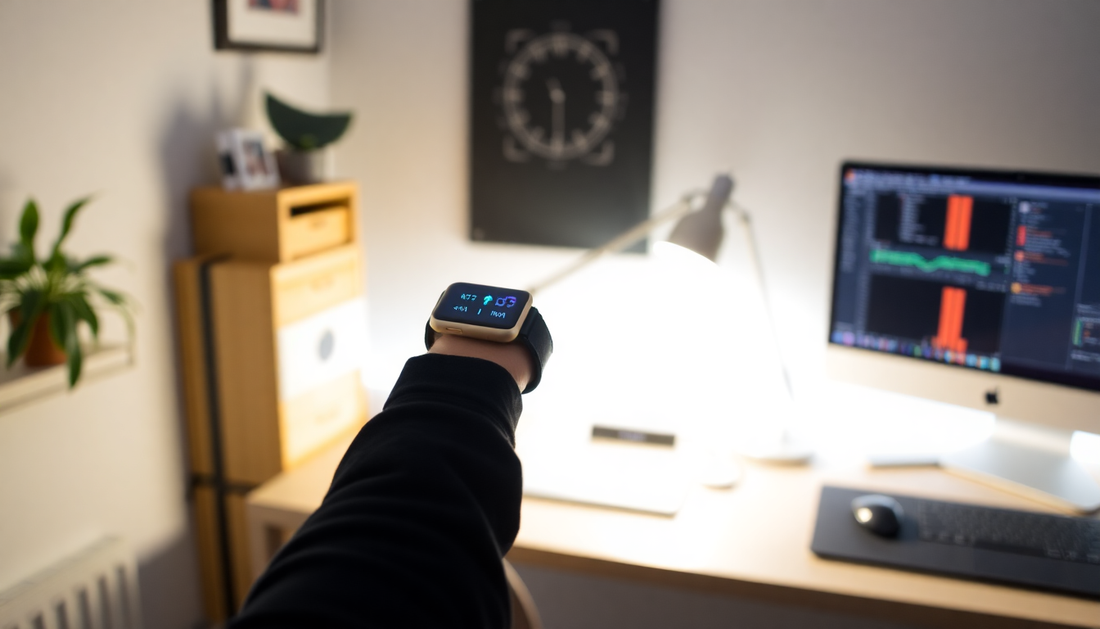
Working from home has become a long term reality for millions, and sustaining high quality focus requires systems, not just willpower. The Microhabit Orchestra is a practical and privacy conscious approach that layers wearable guided microbreaks, circadian aligned lighting, and smart sensors to maintain attention, reduce cognitive fatigue, and protect posture and vision. This extended article explains the science, hardware choices, integration patterns, automation recipes, measurement strategies, troubleshooting, and a staged implementation plan you can follow in a week, a month, and three months.
What You Will Learn
- Why microbreaks are more effective than infrequent long breaks for sustained focus
- How circadian lighting supports attention, mood, and sleep
- Which wearable and sensor signals matter and how to interpret them
- Step by step orchestration patterns and practical automation recipes
- How to measure outcomes and iterate for your lifestyle
- Privacy best practices and future directions
Why Orchestrated Microhabits Work
Microhabits are tiny, repeatable actions that take between 10 and 120 seconds. They are intentionally minimal so the cost of complying is low, and the benefits compound across the day. When microhabits are orchestrated by context aware cues from wearables and environmental sensors, timing aligns with physiological need, adherence increases, and cognitive disruption is minimized. Rather than rigid schedules or long reactive breaks, orchestration provides continuous low friction recovery that preserves momentum.
The Science in Plain Language
- Circadian biology: The circadian system regulates alertness, mood, and sleep timing. Light is the primary external cue. Lighting that matches your biological daytime and evening signals supports sustained daytime focus and better sleep at night.
- Autonomic balance: Heart rate variability (HRV) is a marker of autonomic nervous system balance. Short breaks that reduce sympathetic activation and raise parasympathetic tone improve cognitive control and reduce stress.
- Attention and fatigue: Attention wanes with time on task and cognitive load. Microbreaks refresh attentional resources and reduce task irrelevant thoughts and mind wandering.
- Musculoskeletal health: Prolonged static postures cause stiffness and pain. Brief posture resets and micro movements reduce accumulated strain.
- Vision health: Extended screen viewing increases blink interval and near focus strain. Eye microbreaks reduce discomfort and preserve performance.
Key Signals to Orchestrate Around
Not every signal is necessary. Start with a small set and add as you learn.
- Wearable heart rate and HRV trends (for stress and recovery cues)
- Inactivity or motion absence at the desk (for sedentary alerts)
- Posture detection (via wearable IMU or dedicated sensor) for posture resets
- Ambient light level and color temperature (to maintain circadian alignment)
- Calendar events and focus mode state (to avoid interrupting critical meetings)
Devices and Platform Choices
Your choices should prioritize reliability, privacy, and long term maintainability. Below are categories and representative options to consider.
- Wearables: wrist watches, rings, or bands that offer haptic feedback and at least heart rate and activity data. Common consumer choices include wrist smartwatches and smart rings from established vendors. Pick a wearable that you find comfortable for all day wear since cueing and physiological sensing depend on continuous contact.
- Circadian capable lighting: tunable white LED bulbs, light bars, desk lamps, or panels that can change color temperature and brightness programmatically. Brands that adopt standard protocols are easiest to automate with smart home platforms.
- Desk and presence sensors: motion sensors, pressure mats, proximity sensors, or computer presence indicators that detect time at the desk and inactivity periods.
- Posture sensors: small IMU devices or posture sensing wearables that detect slouching or chin forward posture. These should be unobtrusive and comfortable.
- Automation hub: a local-first server or cloud platform that orchestrates sensors and devices. Home Assistant is a strong local option, Apple HomeKit is convenient for iOS users, and cloud platforms or bridges can be used if needed. Consider Matter compatibility for future proofing.
Design Principles for an Effective Orchestra
- Start minimal with one wearable and one light zone. Add sensors only as needed.
- Use multimodal cues so a single missed cue does not break the habit. Combine a short vibration with a gentle light nudge and a subtle visual prompt on-screen.
- Respect focused time by integrating with calendar and focus mode. Suppress microbreak prompts during meetings or when you explicitly want uninterrupted work.
- Prioritize privacy by keeping physiological triggers local whenever possible and using threshold events instead of continuous streams to third parties.
- Iterate quickly using measurable metrics such as deep work time and prompt adherence rather than vague impressions.
Practical Microhabits and Why Each Works
- 20 seconds of focused gazing at a distant point reduces eye strain by refocusing the ciliary muscles and restoring blink rate.
- 30 to 60 second posture reset by standing up, rolling shoulders, and taking two deep breaths reduces spinal loading and resets kinesthetic sense.
- 60 second box breathing (inhale 4, hold 4, exhale 4, hold 4) reduces sympathetic overdrive, lowers perceived stress, and can briefly improve attentional stability.
- 40 second micro movement series like calf raises, marching in place, or hip hinges to increase circulation and reduce metabolic stagnation.
- Hydration pause where you sip water and do a neck stretch. Dehydration reduces cognitive performance and small hydration microhabits improve alertness.
Automation Patterns and Recipes
Here are durable recipes you can adapt to your platform.
- Physiology driven respiration cue
- Trigger: wearable reports HRV drop below a baseline threshold for 3 minutes
- Action: wearable vibrates twice, desk lamp gently warms 5 percent over 20 seconds, phone shows a 60 second breathing guide
- Outcome: user performs breathing microhabit and HRV begins to recover
- Sedentary micro movement
- Trigger: desk presence sensor detects continuous occupancy for 45 minutes
- Action: wearable vibrates once, light brightness pulses by 10 percent, smart speaker plays a 30 second cue or short song clip
- Outcome: user stands and performs 45 to 60 second movement series
- Visual refresh
- Trigger: screen time reaches 20 minutes of continuous active use
- Action: wearable haptic cue and an on-screen overlay reminding of the 20 20 20 rule
- Outcome: eyes rest and comfort improves
- Afternoon circadian recalibration
- Trigger: scheduled time aligned to personal circadian profile, typically mid to late afternoon
- Action: lights gently shift to warmer tones and slightly dim, wearable suggests 2 minute outdoor exposure or window facing walking microbreak
- Outcome: reduction in post lunch slump and improved evening sleep quality
Detailed Step by Step Implementation Plan
Use this phased plan to avoid overwhelm and to build a system you will stick with.
Phase 1: First 48 hours
- Pick a wearable you are comfortable with and enable haptic cues or vibration reminders.
- Install a single tunable desk lamp or bulb and create two lighting scenes: daytime cool and evening warm.
- Decide on one microhabit to start with, such as the 20 20 20 eye break.
- Create a simple timer on your phone or in your automation platform that vibrates every 20 minutes to nudge the eye break.
Phase 2: Days 3 10
- Add a presence or motion sensor for the desk and set a 45 minute sedentary trigger to prompt a posture reset.
- Integrate your lighting schedule so daytime scene is active during your core work hours and warm scene begins in the late afternoon.
- Keep logging adherence by simply marking prompts you followed in a notes app or using an automation counter if your platform supports it.
Phase 3: Weeks 2 6
- Add physiology based triggers if your wearable supports HRV or stress detection. Use threshold triggers rather than continuous streaming to external services.
- Refine microhabits. If 20 seconds is too short, extend to 30 60 seconds. If prompts are being ignored, lower frequency or change modality to haptics only.
- Measure baseline KPIs and compare trends week over week.
Phase 4: Months 2 3 and beyond
- Experiment with adaptive schedules where the system reduces prompts on days with fewer cognitive demands and increases support on intense days.
- Consider adding posture sensors or a smart chair sensor to capture quality of sitting and trigger corrective microhabits.
- Use analytics to A B test prompt timing, modality, and microhabit length to optimize for your work type.
Measuring Outcomes and Key Performance Indicators
To optimize, measure both objective and subjective metrics.
- Objective metrics
- Deep work duration: hours of uninterrupted focused work
- Sedentary time: number and length of uninterrupted sitting bouts
- Prompt adherence: percentage of microbreak prompts followed
- Physiological trends: HRV, resting heart rate, sleep duration and sleep efficiency if wearable provides
- Subjective metrics
- Daily focus rating: simple 1 to 5 scale at end of day
- Energy and fatigue reports
- Musculoskeletal comfort logs
Example Analytics Dashboard
Build a simple dashboard to visualize trends. Include the following widgets
- Daily deep work minutes
- Prompts sent versus prompts followed
- Weekly average HRV and resting heart rate
- Sleep duration and sleep quality trend
Advanced Tips for Power Users
- Combine wearable data with calendar context to auto reduce non essential prompts during high cognitive load events.
- Use adaptive thresholds that shift with time of day and recent sleep history instead of fixed thresholds.
- Implement gentle ramp transitions for lighting changes lasting 30 to 120 seconds to avoid jarring the senses.
- Use randomized microhabit timing within a window to reduce predictability and maintain compliance.
- Leverage short audio cues or a custom sound cue tied to an audio signature you find motivating rather than default notification sounds.
Privacy and Security Considerations
Your orchestration system will handle personal and physiological data. Protect it from unnecessary exposure.
- Prefer local automation and data storage when possible to minimize cloud exposure.
- When cloud services are required, restrict permissions and use threshold events rather than continuous streaming of raw data.
- Encrypt backups and isolate home automation devices on a separate network or VLAN to reduce attack surface.
- Document what data you collect and why, and periodically review integrations and app permissions.
Troubleshooting and Common Failures
- Too many false positives for triggers: raise the threshold, add a minimum interval between prompts, or require two conditions to be true before triggering.
- Ignored prompts: change modality to vibration only or make the microhabit shorter and easier. Consider scheduling rather than event triggered prompts during intensive workdays.
- Lighting changes are disturbing: make color temperature shifts smaller and slower, reduce brightness change, or limit changes to peripheral lighting rather than screen adjacent lamps.
- Device battery drain: check device update schedules and reduce polling rate of sensors. Use low energy modes on compatible devices.
Case Studies and User Stories
Below are anonymized, hypothetical snapshots that illustrate how different workers can tailor the orchestra.
- Knowledge worker with heavy meetings
- Focus: avoid interruption during meetings while reducing meeting fatigue
- Approach: integrate calendar focus mode to suppress prompts during meetings; use a pre and post meeting microhabit cue to breathe and stand for 60 seconds to reset attention
- Result: fewer meeting hangovers and improved transition into next task
- Individual contributor with deep focus needs
- Focus: sustain long uninterrupted coding or writing blocks
- Approach: schedule longer blocks of deep work with embedded 20 20 20 visual cues and a 45 minute sedentary micro movement; physiologic HRV triggers suppressed to avoid false positives during intense cognitive flow
- Result: longer deep work spans and less burnout at the end of the day
- Creative hybrid worker
- Focus: maintain energy for creative sessions and avoid late afternoon slump
- Approach: warm afternoon lighting schedule, mid afternoon walking microbreak near a window, and a 2 minute breathing reset after challenging tasks
- Result: clearer evenings and improved sleep onset
Tools and Integrations to Consider
- Automation servers such as Home Assistant for local control and privacy
- Native smart home ecosystems such as Apple HomeKit for tight iOS integration
- Matter compatible devices for future proofing cross platform device interoperability
- IFTTT or cloud bridges where direct integrations do not exist, used sparingly and with care about data flow
- Focus and Pomodoro apps that can integrate with notification suppression and calendar state
Cost and Complexity Tradeoffs
You do not need an expensive setup to start. A wearable that vibrates and a single tunable lamp can deliver major benefits. Incremental upgrades bring more nuance but also more maintenance. Balance the cost of complexity against incremental value by running short experiments and measuring outcomes.
Ethical and Accessibility Considerations
- Design cue modalities that are accessible to users with sensory differences. Provide options for visual, haptic, and auditory cues.
- Ensure prompts respect neurodiverse needs by allowing customization of frequency, intensity, and type.
- Avoid using persuasive design techniques that feel coercive. The goal is gentle support, not control.
Future Trends and What to Watch
- On device AI will become more capable at predicting cognitive dips and suggesting context aware microhabits without streaming private signals to the cloud
- Sensors will become smaller and more accurate, enabling non invasive posture and ocular monitoring that further reduces friction
- Federated learning models will allow collective improvement of triggers while minimizing personal data sharing
- Tighter standards and interoperability through Matter and related protocols will reduce integration friction
Three Month Optimization Roadmap
- Baseline: collect two weeks of data on deep work time, prompt adherence, and perceived focus
- Phase one tuning: change one variable at a time for two weeks and measure impact (for example reduce prompt frequency or alter lighting intensity)
- Phase two adaptation: implement physiology based triggers and ensure they align with subjective experience
- Phase three automation polish: reduce false positives, add calendar integration, and automate nightly data summaries
Practical Checklist to Get Started Today
- Wear a comfortable haptic capable wearable
- Set up one tunable lamp or smart bulb and create two scenes for daytime and evening
- Create a 20 minute repeating reminder for the 20 20 20 eye break
- Place a motion sensor near your desk and configure a 45 minute sedentary alert
- Track adherence and perceived focus for two weeks and make one small change
Final Thoughts and Call to Action
The Microhabit Orchestra is both simple and flexible. Start small, measure objectively and subjectively, and prioritize privacy. Over weeks and months the tiny gains from repeated microhabits add up to meaningful improvements in focus, comfort, and sleep. Try a 7 day experiment this week where you implement one wearable cue and one light cue and report your results to learn which combinations best support your work rhythm.
Resources and Further Reading
- Look for research on microbreaks, HRV and cognitive performance in peer reviewed journals
- Consult circadian lighting guidance from reputable sleep and chronobiology organizations
- Explore community forums for practical automation recipes and device compatibility notes
Closing Note on Safety
This article provides guidance for everyday wellbeing and productivity. It is not a substitute for medical advice. If you have a medical condition that affects heart rate, breathing, vision or musculoskeletal health consult a qualified healthcare professional before relying on wearable triggered interventions.