
Invisible Microbreaks in Your Home Office: How Wearable Prompts, Transition Zones & Circadian Lighting Build Effortless Movement Habits
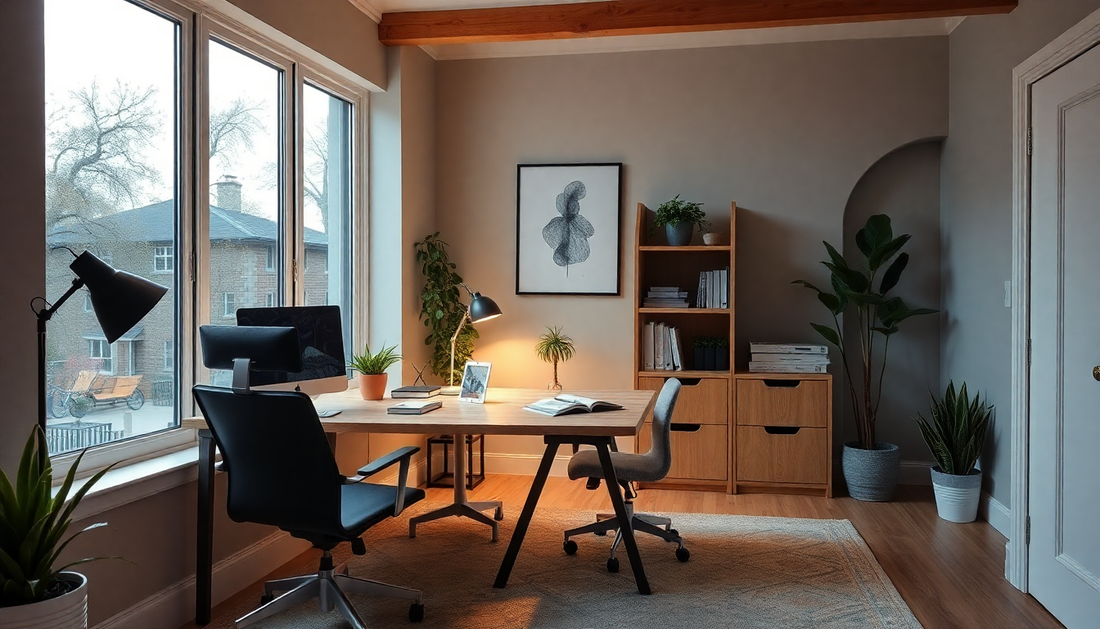
Introduction: the promise of invisible microbreaks
Remote work in 2025 has matured into a long-term reality for millions. Alongside the benefits of flexibility and reduced commute time, prolonged home-based work increases risks tied to sedentary behavior, posture strain, eye fatigue and cognitive depletion. Invisible microbreaks are short, frequent, low-effort movements or pauses woven seamlessly into your workday. When combined with wearable prompts, intentional transition zones and circadian lighting, they form a resilient system that encourages motion without demanding willpower.
What you will learn
- Why microbreaks matter for physical health, cognition and productivity
- How wearable prompts can nudge movement without disrupting flow
- How to design transition zones that trigger movement automatically
- How circadian lighting supports activity and recovery across the day
- Practical workflows, a 14-day plan, troubleshooting and tracking metrics
Why invisible microbreaks matter: science in plain language
Microbreaks are short interruptions of static posture or continuous attention. Even 20 to 90 seconds of simple movement repeated frequently reduces musculoskeletal strain, improves blood flow, refreshes visual focus and restores cognitive resources. The benefits compound across weeks: fewer aches, steadier energy, and often better concentration during deep work blocks. The core idea is simple—small, frequent corrective actions beat infrequent, large interventions for many everyday problems.
Key physiological and cognitive mechanisms
- Muscle recovery and tissue load redistribution: small movements relieve load on the same tissues, reducing microtrauma and soreness.
- Circulatory boost: brief activity improves venous return and microcirculation, counteracting prolonged sitting.
- Visual rest: the 20-20-20 rule and similar gaze shifts reduce eye strain and help reset visual focus.
- Attention renewal: short breaks restore prefrontal resources, improving sustained attention and preventing decision fatigue.
- Circadian alignment: appropriate lighting and timing of activity support alertness during the day and recovery at night.
How wearables create gentle, personalized nudges
Wearables are uniquely positioned to support invisible microbreaks because they are always on the body and aware of context. When designed well, wearable prompts are subtle, context-sensitive and customizable. They should encourage action without becoming a distraction or a source of stress.
Wearable prompt design principles
- Minimality: use a single short vibration or a soft chime. Avoid long alarms.
- Context awareness: integrate with calendar, do-not-disturb modes and call detection so prompts avoid sensitive moments.
- Adaptivity: allow the device to lengthen or shorten intervals based on your activity, sleep, and time of day.
- Action pairing: every prompt suggests one simple action tied to a nearby transition zone.
- Privacy and comfort: give users clear controls and avoid persistent tracking that creates pressure.
Examples of wearable prompt setups
- Basic: vibration every 30 minutes. Action: stand and stretch for 30 seconds.
- Calendar-aware: vibration suppressed during meetings. Action: neck mobility or eye rest immediately after meetings end.
- Adaptive: wearable senses heart-rate variability and increases spacing of prompts if you are under stress, or shortens them if you are sedentary for long periods.
Designing transition zones that trigger movement automatically
Transition zones are small, intentionally curated spots near your workspace that cue specific micro-actions. They lower decision friction: rather than asking yourself what to do when prompted, the environment suggests the next step.
Core attributes of effective transition zones
- Proximity: close enough to the workspace to be practical, far enough to create a short movement.
- Singularity of purpose: each zone supports one simple action, like hydration, stretching or standing reading.
- Salience: use a consistent visual or tactile cue so your brain learns the association quickly.
- Low setup cost: no complex or bulky equipment—small bands, mats, a lamp, or a shelf work well.
High-value transition zone examples
- Hydration station: a small tray with a glass or reusable bottle placed 3 to 10 steps away from your desk.
- Doorway mobility anchor: resistance band or wall chart near the office door prompting a shoulder and chest opener when standing.
- Phone charging shelf: charge your phone away from the desk to force a brief trip to check messages.
- Standing reading ledge: a narrow tall table or stool for reading documents standing up.
- Microgym corner: tiny corner with a mat and one piece of light equipment, such as a pair of light dumbbells or a small foam roller.
Designing for small homes and shared spaces
- Use mobile cues: a foldable mat or a band hung on a coat hook can be pulled out and stored quickly.
- Multi-use furniture: a kitchen counter as a standing desk for a 2-minute check-in.
- Visual cues on doors or walls: a small sticker or plant that marks a walking loop.
- Keep cues simple and portable so household dynamics don’t interfere.
Circadian lighting: the unsung nudge for activity and rest
Circadian lighting mimics natural daylight changes to support wakefulness, focus and sleep. When you pair lighting shifts with microbreak prompts and transition zones, light becomes an unobtrusive behavioral cue. In the morning, bright blue-enriched light fosters alertness and primes you for movement. In the evening, warmer light reduces arousal and signals winding down.
How to implement circadian lighting in a home office
- Morning ramp: schedule smart bulbs to reach higher intensity and cooler color temperature within 30 to 60 minutes of your start time.
- Midday maintenance: keep task lighting neutral and bright enough for clear visual work while allowing wearable prompts to encourage movement.
- Afternoon transition: gradually warm color temperature and lower intensity starting mid- to late-afternoon to reduce cortical arousal.
- Evening shutdown: by the end of your workday, switch to warm, dim lighting to support recovery and sleep onset.
- Sync with natural light: when possible, position your workspace to benefit from daylight and use blinds to control contrast and glare.
Practical lighting setups for different budgets
- Low-cost: a warm-to-cool LED desk lamp with a simple dimmer and a timer plug for scheduled shifts.
- Mid-range: smart bulbs and a compact smart hub to create scenes and gradual transitions.
- High-end: integrated circadian systems with color temperature control, occupancy sensing, and app-driven schedules.
Putting it together: workflows that make movement effortless
Below are workflows that integrate wearables, transition zones and lighting into daily routines. Pick one that matches your work rhythm and adapt over time.
Workflow A: Knowledge worker with deep work blocks
- Morning: wearable wakes you with a gentle vibration. Lights ramp up to a cool, bright setting. Perform a 60-second mobility sequence in your doorway transition zone.
- Deep work block: wearable prompts at 40-minute intervals with adaptive snooze if a timed focus session is active. When prompted, stand for 30–60 seconds and perform a posture reset or brief walking loop to the hydration station.
- Lunch: scheduled midday brightening supports a 10–15 minute brisk walk or a short household chore to change context.
- Afternoon: lighting transitions to warmer hues; prompts reduce to 45–60 minute spacing focused on eye-rest and gentle mobility.
- End of day: wearable shifts to a non-work mode. Lights dim and shift to warm tones to cue rest and recovery.
Workflow B: Meetings-heavy schedule
- Morning: brief mobility routine in transition zone after wake prompt.
- Between meetings: wearable detects call end and vibrates; perform a 20–60 second stretch by the phone charging shelf or a quick walk to the kitchen.
- Break strategy: use short 90-second breathing and posture resets after three back-to-back meetings to reduce tension.
- Evening: consciously reduce lighting and stop prompts to support mental separation from work.
Personalization: aligning microbreaks with chronotype and tasks
Not all people are the same. Chronotype—your natural morningness or eveningness—affects when you benefit most from energetic microbreaks. Morning people may prefer movement-rich starts, while evening people may benefit from lighter morning prompts and more movement windows later in the day. Adapt frequency, intensity and the nature of microbreaks to match cognitive demands: frequent short breaks for heavy screen work and slightly longer breaks for creative or decision-heavy tasks.
Tracking and measuring what matters
Simple metrics keep the system honest without turning it into a burden. Track for 2 to 4 weeks and iterate.
- Prompt adherence rate: percentage of wearable prompts you acted on
- Daily stiffness or pain scale: a 1 to 5 check-in each evening
- Focus score: subjective rating of deep work quality each day
- Sleep quality: night-to-night changes after adjusting lighting
Example case study: Anna, a remote product manager
Context: Anna works from a small apartment and runs long meeting days. She often felt stiff and tired by late afternoon.
- Intervention: she set wearable prompts to 30 minutes, created a hydration station 5 steps away, put a resistance band by the door, and scheduled lights to ramp warm at 3pm.
- Results after 3 weeks: Anna reported less neck and shoulder tension, steadier afternoon energy and improved focus during deep work because she used the wearable to avoid sitting for more than 45 minutes straight.
- Lessons: simple cues and consistent pairing reduced friction. She needed to tweak prompt timing to avoid disturbing client calls, which required integrating calendar awareness.
Common pitfalls and how to avoid them
- Too many cues: keep the system minimal. One wearable, one or two transition zones, and one lighting schedule per day are enough to start.
- Annoying prompts: if you ignore prompts, reduce frequency or change the cue type. The system should encourage, not guilt.
- Overengineering: avoid expensive gear early. Start with what you have and only add tech when it solves a real problem.
- Habit mismatch: align prompts with natural breaks in your schedule to improve adherence.
Accessibility and inclusivity considerations
- Alternative cues: for users with sensory impairments, prefer lights or app notifications over vibration or sound.
- Movement variety: provide options for seated microbreaks for those with mobility constraints, e.g., ankle pumps, seated thoracic rotations or breathing exercises.
- Privacy: ensure wearable tracking and light automation respect household privacy and personal boundaries.
A 14-day progressive plan to build invisible microbreak habits
- Days 1-2: Choose a wearable or set phone reminders. Place a water bottle 3 to 10 steps from your desk.
- Days 3-4: Create one transition zone and practice a 30-second stretch whenever you stand.
- Days 5-6: Program a simple lighting schedule: brighter/cooler in the morning, slightly warmer by mid-afternoon.
- Days 7-8: Increase wearable prompts to every 25-30 minutes and pair each with a specific action in your transition zone.
- Days 9-10: Add a 2-minute walking loop or stair climb once mid-morning and once mid-afternoon.
- Days 11-12: Track adherence and perceived comfort. Adjust prompt frequency and timing based on feedback.
- Days 13-14: Reflect on results and create a weekly schedule that balances deep work and movement prompts. Commit to this new baseline for the next month.
Tools, tech and low-tech alternatives
- Wearables: any smartwatch or band with customizable vibration and calendar integration.
- Microbreak apps: apps that detect phone usage and suggest timed breaks or integrate with calendars.
- Lighting: smart bulbs, tunable LED desk lamps or simple timer-enabled lamps for scheduled shifts.
- Low-tech alternatives: kitchen timers, visual cues like a colored sticky note on the monitor and a water bottle placed away from the desk.
Troubleshooting: what to do when it fails
- Low adherence: simplify. Reduce the number of prompts and focus on one transition zone.
- Prompt fatigue: lower intensity, increase interval, or switch cue type. Make sure prompts are not timed during frequent meetings.
- No energy change: check lighting timing and sleep. Circadian misalignment can blunt benefits—shift lighting earlier or later to match your chronotype.
- Household friction: communicate with household members about schedules and use portable, non-intrusive cues.
SEO-friendly keyword strategy for this article
- Primary keywords: invisible microbreaks, home office movement, wearable prompts, transition zones, circadian lighting
- Secondary keywords: microbreak ideas, home office ergonomics, movement habits at work, remote work wellness
- Long-tail phrases to target: how to build microbreak habits in a home office, best wearable prompts for microbreaks, circadian lighting for remote workers
Frequently asked questions
- How often should I take microbreaks? Aim for short breaks every 20 to 60 minutes depending on task intensity. Start at 30 minutes and adapt.
- Can microbreaks replace exercise? No. Microbreaks reduce the harms of prolonged sitting and improve immediate comfort and focus, but regular moderate-to-vigorous exercise remains important for cardiovascular fitness and broader health.
- Will lighting changes really help? Yes. Exposure to brighter, bluer light in the morning supports alertness; warmer, dimmer light in the evening aids winding down. Even simple, scheduled shifts can make a difference.
- What if I work in a noisy household? Use vibration or visual cues instead of sound and choose transition zones that minimize disruption.
Conclusion: let your environment do the heavy lifting
Invisible microbreaks are a pragmatic way to protect your body and mind while working from home. When wearable prompts, transition zones and circadian lighting are thoughtfully combined, they reduce friction and make movement automatic. Start small, measure a few simple outcomes, and iterate. Over time, these low-effort changes compound into sustainable habits that support comfort, focus and long-term well-being.
Call to action
Pick one wearable prompt, create one transition zone, and adjust one lighting parameter this week. Track adherence and comfort for two weeks, then refine your system. Small adjustments ripple into big gains.