
From Calendar to Core: AI Schedules, Micro‑Workout Zones & Wearable Feedback to Bring Fitness into Your Home Office
Introduction
Working from home increasingly means balancing concentrated knowledge work with the need to move. Sitting for long stretches reduces productivity, increases discomfort, and harms long-term health. Fortunately, combining AI-driven calendar automation, intentional micro-workout zones in your home office, and real-time wearable feedback creates a high-impact, low-friction system for staying fit while you work. This expanded guide explains how each element works, offers practical step-by-step implementation, and provides ready-to-use programs for different fitness levels and job types.
Why bring fitness into the home office
Integrating movement into your workday isn't just about exercise for its own sake. It's about optimizing cognitive performance, managing stress, and preventing the musculoskeletal issues that come from prolonged sitting. Key reasons to embed fitness in the workday include:
- Immediate cognitive benefits: short bouts of movement increase alertness, focus, and creativity
- Reduced physical complaints: frequent mobility and strengthening exercises reduce neck, shoulder, and lower back pain
- Improved metabolic health: multiple short activity bursts can boost glucose regulation and caloric expenditure
- Better habit formation: scheduling movement turns randomness into routine
- Data-driven personalization: wearable metrics enable the system to adapt to your physiology and recovery needs
The science behind micro-workouts and frequent movement
Research shows that short, regular activity can confer many of the same benefits as longer workouts, especially when intensity or total volume is adequate. Micro-workouts improve circulation, stimulate the nervous system, and provide metabolic stimuli that help maintain cardiovascular and muscular health. Heart rate variability and continuous heart rate monitoring also reveal how movement and recovery interact with stress and sleep, which helps tailor intensity and timing.
How AI schedules change the game
AI calendar assistants do more than set reminders. They analyze patterns, predict when you can be most productive, and insert movement breaks in ways that minimize friction. Here are core AI scheduling capabilities and how they help:
- Availability modeling: identifying natural gaps between meetings and deep work blocks for short movement sessions
- Priority-aware planning: preserving key focus blocks while shifting less-critical items to make room for movement
- Adaptive rescheduling: when a meeting changes, AI moves or shortens workout breaks instead of canceling them altogether
- Physiology-informed timing: using wearable data to recommend gentler movement on low-readiness days and higher intensity on rested days
- Context-sensitive suggestions: choosing mobility, strength, or cardio micro-workouts based on your recent screen time, posture, or meeting types
Common AI scheduling patterns and policies
- Minimum activity frequency: ensure at least n micro-workouts per day or per work block
- Transition placement: insert workouts at natural transition points like right after meetings or before deep work begins
- Duration flexibility: prefer 2 to 7 minute sessions to maximize adherence and fit into tight schedules
- Intensity caps: lower intensity on days with poor sleep or high stress, detected by wearables
Tools and integrations to consider
Many modern tools can power an integrated calendar-to-core system. Options include:
- AI calendar assistants: reclaim.ai, clockwise, motion, and similar services that automatically block time
- Calendar platforms: google calendar, microsoft 365, and apple calendar for primary scheduling
- Automation platforms: zapier and ifttt to connect calendar events with fitness apps or smart home devices
- Wearable ecosystems: apple health, google fit, garmin connect, fitbit, whoop, and oura for physiological data
- Habit and fitness apps: notability for routines, trainiac for personal training, or custom scripts that feed wearable metrics to the scheduler
Wearable feedback: the objective backbone
Wearables provide real-time and historical data that can validate whether a micro-workout accomplished its goal, and they help the AI decide when to schedule higher or lower intensity. Commonly used metrics and their uses:
- Heart rate: measures intensity during movement and recovery after sessions
- Heart rate variability (hrv): indicates autonomic nervous system balance and daily readiness
- Resting heart rate and sleeping heart rate: long-term indicators of cardiovascular improvements
- Step count and active minutes: simple proxies for baseline activity level
- Caloric burn estimates: useful for weight-management goals but less accurate minute-to-minute
- Movement signatures: some devices detect posture changes or micro-movements that reveal sedentary behavior
Choosing the right wearable for your needs
Select a device based on the data you want, battery life needs, form factor, and privacy expectations. Typical choices include:
- Smartwatches: apple watch and garmin offer comprehensive metrics and app integrations
- Fitness bands: fitbit provides long battery life and solid step/heart rate tracking
- Rings: oura ring excels at sleep and hrv tracking, with discrete form factor
- Dedicated recovery wearable: whoop focuses on strain, recovery, and sleep but requires subscription
Designing micro-workout zones in small spaces
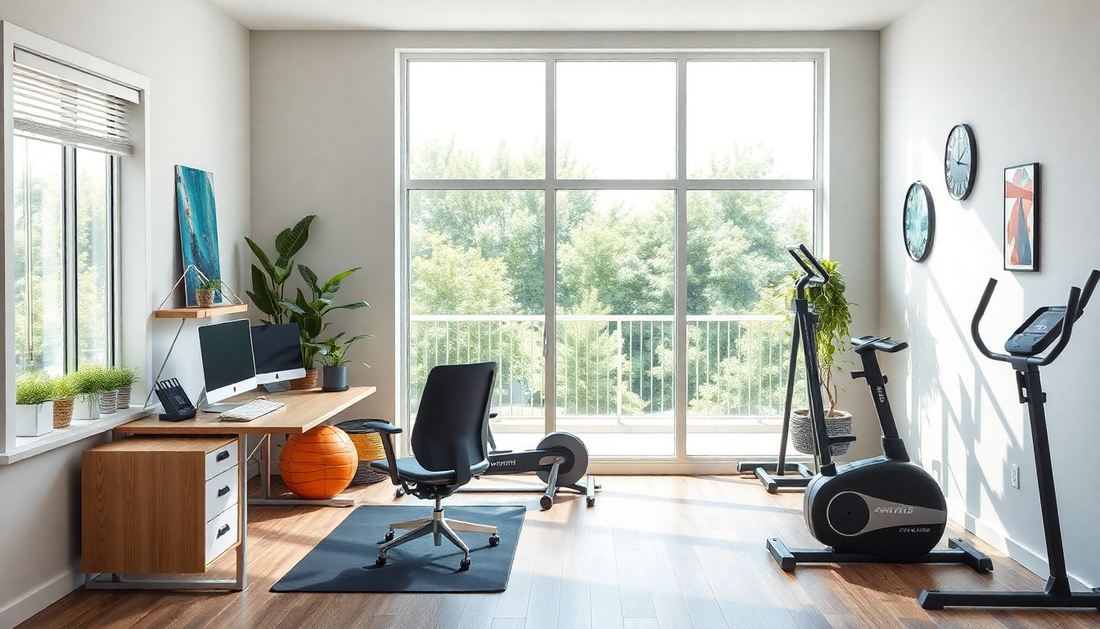
You don’t need a gym to create effective micro-workout zones. The goal is immediacy: a space where you can stand, move, and use minimal equipment. Zone ideas and setup tips:
- Stand and flow area: near your desk for 1 to 3 minute mobility sequences; use an anti-fatigue mat if you stand a lot
- Strength corner: a small area with resistance bands, a kettlebell or dumbbell, and a timer or app for short circuits
- Cardio nook: a stairwell, jump rope, or compact stepper for 3 to 7 minute cardio bursts
- Relaxation nook: a cushion or chair for breathing exercises, short meditation, or progressive relaxation
- Storage and transition: a small shelf or basket keeps equipment visible and removes friction to use it
Equipment that maximizes impact with minimal footprint
- Resistance bands: versatile and space-efficient
- Adjustable dumbbells or a single kettlebell: useful for progressive overload
- Jump rope: excellent for short cardio bursts and coordination
- Yoga mat or foldable anti-fatigue mat: for mobility and strength work
- Timer or smart speaker: for guided intervals and hands-free prompts
Creating micro-workout templates
Templates give AI and users standardized building blocks. Here are reproducible 3- to 7-minute templates for different goals. Feel free to customize rep counts and rest intervals.
- Stand & Move (2 to 3 minutes): 30s march in place, 30s shoulder rolls, 30s calf raises, 30s standing cat-cow
- Strength Blast (4 to 6 minutes): 30s bodyweight squats, 20s rest, 30s incline push-ups, 20s rest, 30s glute bridges, 30s plank
- Mobility Flow (3 to 5 minutes): 1 minute hip openers, 1 minute thoracic rotations, 1 minute hamstring mobility, 30s neck release
- Cardio Burst (3 to 5 minutes): 30s jumping jacks, 20s rest, 30s high knees, 20s rest, 30s stair climbs
- Calm Reset (2 to 4 minutes): 2 minutes of box breathing, 1 minute progressive muscle relaxation
Progressive 12-week micro-workout program
Below is a practical 12-week progressive plan for building fitness within a workday. Adjust intensity for your level and consult a healthcare provider if you have medical concerns.
Structure
- Weeks 1 to 4: habit formation. Aim for two to three micro-workouts daily, mostly mobility and low load strength.
- Weeks 5 to 8: intensity increase. Introduce more challenging strength moves and longer cardio bursts once per day.
- Weeks 9 to 12: consolidation and overload. Add progressive resistance, small increases in duration or intensity, and one longer post-work session once or twice weekly.
Sample week breakdown
- Monday: morning mobility, mid-morning strength blast, afternoon calm reset
- Tuesday: morning stand & move, mid-afternoon cardio burst
- Wednesday: mobility and core session, mid-day walk
- Thursday: strength-focused micro-workouts, lower body emphasis
- Friday: lighter mobility and breathing, optional light cardio
- Weekend: optional longer session, active recovery like a hike or bike ride
Detailed exercises and progressions
Each week increase difficulty slightly: add 5 to 10 seconds per interval, an extra rep, or increase resistance with a band. Replace bodyweight moves with loaded versions or single-leg variants for progression.
Sample daily schedules for different work contexts
Examples to help the AI place sessions meaningfully.
Knowledge worker with frequent meetings
- 08:50 morning stand & mobility to prepare for the day
- 10:45 short strength circuit between back-to-back meetings
- 12:30 walk or stair-climb during lunch
- 15:00 brief cardio burst to combat afternoon slump
Developer or deep-focus worker
- 09:30 micro-mobility to transition into a deep work block
- 12:00 strength micro-workout before lunch to signal a break
- 16:30 calm reset and breathing to prepare for wrap-up
Creative or hybrid worker
- Start with a 5-minute mixed mobility and cardio burst to stimulate creativity
- Midday short strength sequence
- Afternoon walk or longer movement for idea incubation
Implementation 14-step checklist
Follow this checklist to build your integrated system.
- Pick your calendar platform and AI scheduler or assistant
- Choose a wearable that matches your data needs
- Create 4 to 6 micro-workout templates and name them clearly
- Designate micro-workout zones in your home office and arrange equipment
- Set preferred windows for AI placement: morning, mid-morning, early afternoon, late afternoon
- Allow wearable data access to the scheduling app or intermediary platform
- Define rules: minimum daily sessions, tolerated reschedules, and do-not-disturb times
- Seed your calendar with the first week of scheduled micro-workouts
- Test and iterate: verify wearable data is captured and events trigger as expected
- Start small: commit to two micro-workouts per day for the first two weeks
- Use weekly reviews to adjust timing and templates based on wearable signals
- Scale intensity and frequency gradually using the 12-week program plan
- Introduce social accountability: share consistency metrics with a colleague or team
- Maintain privacy hygiene: periodically audit app permissions and revoke access you no longer need
Privacy, security, and corporate considerations
Sharing physiological data across platforms raises valid privacy concerns. Keep these principles in mind:
- Share the minimum necessary data. Prefer aggregated or anonymized metrics rather than raw heart-rate traces
- Review app permissions and vendor privacy policies before enabling syncing
- For employer programs, ensure voluntary participation and transparent data use policies
- Use local processing where possible: edge or on-device rules minimize external data sharing
Troubleshooting and common objections
Here are common challenges and practical solutions:
- Too busy for breaks: configure smaller 1 to 2 minute mobility prompts and use automatic reschedule rules
- Forgetfulness: enable gentle nudges and persistent but polite reminders until habit forms
- Limited space: choose bodyweight or resistance band templates that require minimal footprint
- Discomfort or pain: prioritize mobility and consulting a clinician; avoid aggravating movements
- Wearable accuracy worries: focus on trends and zones rather than exact numbers; combine heart rate with perceived exertion
Measuring success: metrics that show real impact
Track metrics that reflect habit formation and physiological change, not vanity numbers. Useful metrics include:
- Micro-workout adherence rate: percentage of scheduled breaks completed
- Average active minutes per workday
- Changes in resting heart rate and hrv over months
- Functional improvements: number of push-ups, squat depth, plank duration
- Self-reported productivity and pain scales
Employer use cases and ROI
Companies adopting this approach see benefits in employee wellness, engagement, and retention. Potential ROI levers include:
- Reduced presenteeism and improved focus during work hours
- Lowered musculoskeletal complaints, which reduces healthcare costs
- Higher employee satisfaction when programs are voluntary and privacy-respecting
Case scenarios
Two short scenarios show how the system works in practice.
Scenario 1: the product manager
Pat is a product manager with many short meetings. An ai scheduler blocks three micro-workouts between meetings and syncs with their smartwatch. When a meeting overruns, the scheduler resizes the nearby strength micro-workout to 3 minutes rather than canceling it. Over 12 weeks pat gains strength, reports less neck pain, and shows improved sleep-related hrv.
Scenario 2: the software engineer
Jamie prefers long deep work blocks. The ai assistant places 2-minute mobility and breathing breaks right before and after deep focus sessions and recommends a midday 6-minute strength circuit. Jamie uses a ring hrv signal to skip intense movements on low-readiness days, choosing mobility instead, which prevents burnout and improves consistency.
Motivation and social features
Maintaining a new habit is easier with social elements and rewards:
- Team streaks and non-competitive leaderboards for consistency
- Peer challenges: who can complete the most micro-workouts in a week
- Badges and small rewards for hitting milestones
- Accountability partners to review weekly wearable summaries together
Advanced tips for power users
- Use contextual triggers: link movement breaks to calendar event types such as meetings labeled review or brainstorming
- Adaptive sequencing: let the ai progressively increase mobility before heavy mental tasks and schedule cardio after low-cognitive tasks
- Integrate smart home devices: cue lights or play music when a micro-workout starts to create Pavlovian triggers
- Batch similar micro-workouts to create mini training blocks when you have longer free windows
FAQ
- Q: Are 2 to 5 minute micro-workouts enough? A: For long-term adherence they are often more effective than longer but less frequent sessions. When combined with weekly longer workouts, they support significant improvements.
- Q: Will wearables drain battery quickly with constant monitoring? A: Most devices are optimized for daily use. Choose a device that balances battery life and metrics you need.
- Q: What if my employer wants access to my data? A: Require policies that only aggregate or anonymize metrics and make participation voluntary.
Next steps: a simple launch plan
Ready to implement? Start with this simple 7-day launch plan:
- Day 1: pick your wearable and enable calendar integration
- Day 2: set up 3 micro-workout templates and create two home office zones
- Day 3: configure your ai scheduler with preferred placement windows
- Day 4: schedule micro-workouts for the next 5 workdays
- Day 5: practice each template and save preferred variations
- Day 6: review wearable data to confirm sessions registered correctly
- Day 7: evaluate how it felt and adjust templates or timings for week 2
Conclusion
Bringing fitness into the home office is no longer just a matter of willpower. By combining ai-driven scheduling, thoughtfully designed micro-workout zones, and wearable feedback you create an adaptive, low-friction system that improves fitness, reduces pain, and enhances cognitive performance. Start small, use data to iterate, and make adjustments that respect your workload and recovery. Over time, those consistent micro-movements compound into meaningful gains in strength, energy, and wellbeing.
Pick one micro-workout template and schedule your first two breaks this week. Let the data and experience guide the rest—your future self will thank you.