
Automate Your Movement: Design a Home Office with Wearable Nudges, Smart Microzones & Circadian Lighting for Effortless Microbreaks
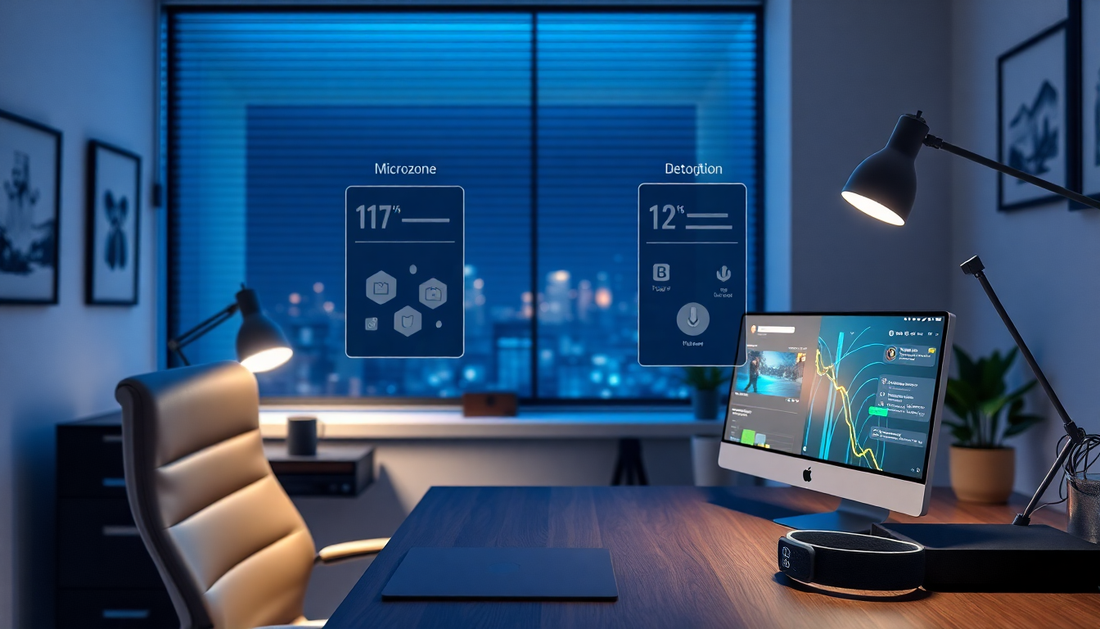
Introduction: Move Without Thinking
In 2025 remote work is mainstream, and the challenge has shifted from where we work to how we sustain mental clarity and physical health while working at home. The best approach is to make healthy movement automatic. Instead of relying on willpower and calendar discipline alone, use a systems design approach that combines wearable nudges, smart microzones, and circadian lighting. This article goes deep: why this works, what tech to choose, how to set it up step by step, example automations for popular platforms, accessibility considerations, measurement, troubleshooting, and a two week rollout plan you can follow today.
Why Microbreaks Matter: The science in plain language
- Short, frequent breaks improve cognitive performance by allowing attention resources to recover between focused work bouts. Microbreaks reduce mental fatigue and decision overload.
- Physiologically, standing and short walking spur blood flow, reduce insulin resistance linked to long sitting, and modestly increase energy expenditure.
- Musculoskeletal health benefits from frequent posture changes. Micro-movements reduce static loading on neck, shoulders, and low back, preventing cumulative strain.
- Circadian-aligned light exposure supports sleep timing, mood, and daytime alertness. Bright morning light and reduced evening blue light enhance sleep quality and daytime performance.
These mechanisms mean small, regular actions compound into meaningful gains in comfort, health, and productivity when embedded as automated behavior cues.
How the three systems work together
Think of the system as three layers that interact:
- Layer 1: Wearable nudges send personal, discreet prompts based on time, motion, or physiological signals.
- Layer 2: Smart microzones are physical anchors in your space that provide a clear, low-friction destination for each nudge.
- Layer 3: Circadian lighting modulates the appeal of microzones and supports the right type of alertness for the time of day.
Combining these creates a closed loop where prompts draw you to a place, the place supports the action, and light or other cues reinforce behavior. Automations connect the loop so it happens without thinking.
Design principles for an automated movement system
- Make it easy: each microbreak should require minimal setup and finish in 1 to 5 minutes.
- Make it contextual: cues should consider calendar events, focus mode, and activity level.
- Make it rewarding: combine small sensory rewards like pleasant light, brief audio, or a progress indicator.
- Make it adaptive: adjust frequency based on sleep, stress, and response patterns rather than fixed timers only.
- Make it private and secure: prefer local automations for sensitive health data and segregated IoT networks for device security.
Step 1. Plan your layout: microzones that actually get used
Microzones are small, function-specific spots placed within walking distance of your primary workstation. Design three to five microzones tailored to your space and mobility needs.
- Stand-and-View zone: adjustable counter or standing desk area for 2 to 7 minute standing tasks or reading. Keep a water bottle and a small notepad here.
- Stretch spot: a mat area with visual cues for 1 to 3 minute mobility sequences. Keep a foam roller or small resistance band close by.
- Walk loop: an indoor or porch path of roughly 20 to 80 steps. Use floor tape, rug markers, or low-level LED strips to define it.
- Breath and reset nook: a comfortable chair or cushion with dimmable warm lighting for 1 to 3 minute breathing or body-scan breaks.
- Task shift station: a different chair or small table for switching cognitive context when you need a soft reset between tasks.
Place each microzone so it is visually accessible from your desk. Visual access increases the chance you will respond to a nudge.
Step 2. Choose wearables and sensors
Wearables provide personal haptics and physiological data. Sensors detect presence and motion to create context-aware behavior.
- Wearable criteria: haptic feedback, battery life, app or API access, ability to set custom reminders, and optional biometric data like HR and HRV. Examples in 2025 include mainstream watches and rings from several vendors. Pick a device that you find comfortable and reliable.
- Presence and motion sensors: cheap motion sensors under desks and in microzones, and desk pressure mats or seat occupancy sensors help determine when to pause nudges.
- Optional extras: cadence counters or foot sensors on a walk loop, and BLE beacons to trigger location-specific automations without cameras.
Step 3. Implement circadian lighting
Circadian lighting is not about mimicking sunlight exactly; it is about providing the right cues at the right time. Implement tunable white lighting with scheduling and scene control.
- Hardware: tunable bulbs or fixtures that support warm and cool white light spectra. Look for devices that support local control protocols if privacy is a concern.
- Lighting schedule examples:
- Wake window 30 to 60 minutes after rising: bright, cool light to reinforce alertness.
- Midday: sustained balanced white light for focused work.
- Late afternoon: slightly warmer and lower intensity to prevent an energy spike that disrupts evening.
- Evening wind-down 2 to 3 hours before bedtime: warm, dim lighting to support melatonin production.
- Localization: set each microzone to a complementary light scene. For example, walk loop lights can be slightly cooler to attract movement mid-morning and warmer for restorative stretches later in the day.
Step 4. Automate intelligently: rules that respect flow
A good automation framework is context-aware and minimally invasive. Use calendar integration, presence detection, and adaptive rules to reduce false alarms.
- Core automation rules to start with:
- Default microbreak cadence: nudge every 30 to 45 minutes during active desktop time.
- Deep work rule: suppress regular nudges during calendar blocks labeled focus, deep work, or when the user enables a do not disturb mode. Schedule a single movement break halfway through any deep work block longer than 60 minutes.
- Escalation: if a nudge is ignored for 2 minutes, escalate with a light flash in the nearest microzone. If still ignored, offer an audible 10 second cue unless muted.
- Adaptive intensity: if HRV data indicates elevated stress, shift microbreaks to breathing and recovery rather than brisk walking.
- Devices to connect with: popular platforms include local Home Assistant instances, Apple HomeKit and Shortcuts, Google Home, Amazon Alexa, and Node-RED for advanced flows. Matter support simplifies multi-vendor device interoperability.
Sample automation scenario: Home Assistant
Below is a simple Home Assistant automation described in plain terms to avoid quoting issues. This automation triggers a wearable haptic nudge every 40 minutes during active desk presence, lights the walk loop briefly, and pauses during busy calendar events.
- Conditions:
- Presence sensor at desk is true
- Calendar state is not busy
- Trigger:
- Time pattern every 40 minutes when conditions are met
- Actions:
- Send haptic command to wearable via companion integration
- Turn on walk loop LED for 10 seconds at a warm, inviting brightness
- Log event to local tracker for analytics
- Escalation flow:
- If motion sensor in microzones shows no movement within 3 minutes, flash desk lamp and send gentle chime through smart speaker
This logic keeps the system responsive and reduces pointless interruptions.
Sample automation scenario: Apple Shortcuts and HomeKit
For Apple users, Shortcuts and HomeKit can link a wearable reminder and HomeKit lighting. Suggested flow:
- Create a Shortcut that triggers at a chosen interval while a HomeKit occupancy sensor reports presence.
- Action sequence in Shortcut:
- If calendar state is busy, stop
- Else send haptic reminder via watch with short text prompt like stand or stretch
- Set HomeKit scene for the target microzone to a wakeful light scene for 15 seconds
- Start a timer for 2 minutes that displays quick stretches on the phone
Shortcuts can present check-in prompts at the end of a break so you can log comfort or pain scores easily.
Sample automation scenario: Node-RED flow for advanced users
Node-RED is ideal for complex flows such as integrating HRV to modify nudge intensity. Example flow components:
- Input nodes: wearable telemetry (HRV, HR), calendar API, motion sensors
- Logic nodes: evaluate HRV threshold, calculate adaptive cadence, suppression if in meeting
- Output nodes: send haptic to wearable, set light scenes, track to InfluxDB for analytics
With Node-RED, you can create a feedback loop where the system learns which cues achieve the highest compliance and modifies itself over days.
Practical microbreak libraries: what to do in 60, 120, and 300 seconds
Provide a structured microbreak library so users always know what to do.
- 60 second breaks
- 20 seconds stand and deep breath, 20 seconds shoulder rolls, 20 seconds neck mobility
- Walk 20 to 40 steps at a relaxed pace
- Short eye break: 20 20 20 rule stare at 20 feet for 20 seconds every 20 minutes
- 120 second breaks
- Two minute guided diaphragmatic breathing sequence in the breath nook
- Standing hamstring and hip opener sequence on the stretch mat
- 300 second breaks
- 10 minute walking loop at brisk pace to reset cognition
- Light mobility flow including thoracic rotation and ankle mobility
Ergonomics and equipment recommendations
Small investments increase the comfort and effectiveness of microzones.
- Adjustable sit-stand desk or converter to facilitate easy posture shifts.
- Anti-fatigue mat for standing zones to reduce discomfort during longer standing tasks.
- High-quality chair for the breath and reset nook with a lumbar support cushion.
- Compact foam roller and resistance band for micro-mobility work on the stretch spot.
- Low-profile LED strips or puck lights to mark the walk loop and highlight microzones without being intrusive.
Accessibility: designing for varied bodies and needs
Equitable design increases adoption and health benefits.
- Offer seated versions of every microbreak. For users with limited mobility, include isometric or seated range-of-motion options.
- Provide alternative cues such as captions, large visual signals, or stronger haptics for people with sensory differences.
- Allow full customization of cadence and intensity so people can tune reminders to their physical capabilities and medical recommendations.
Privacy and data practices
Be deliberate about what data you allow into automations.
- Local-first approach: if possible, run automations on a local hub to avoid sending health data to third-party cloud services.
- Minimal sharing: only grant apps the minimum permissions needed for nudging. Avoid linking sensitive biometric metrics to cloud services unless comfortable with vendor policies.
- Network hygiene: segment IoT devices on a separate VLAN, use strong passwords, and enable automatic firmware updates where available.
Measurement: how to know the system is working
Track a few simple signals to evaluate and refine your setup.
- Contactless metrics
- Break frequency: how many microbreaks occur per workday
- Movement volume: steps per day and sit-to-stand counts
- Subjective metrics
- Daily comfort score: 1 to 5 quick prompt at end of day
- Focus rating: end of day subjective assessment of sustained attention and flow
- Physiological metrics
- Sleep duration and quality
- HRV trends if available and consented
Use simple dashboards in Home Assistant, or lightweight tracking in a spreadsheet, to watch trends. Look for steady increases in break compliance and either stable or improved sleep and comfort scores.
Troubleshooting and tuning
- If nudges are ignored consistently: shorten the nudge interval, change the nudge modality, or make the microzone more attractive (update lighting or keep a desired object there).
- If nudges interrupt flow: increase suppression for deep work events and implement progressive nudging so the first cue is subtle.
- If lighting feels intrusive: lower intensity, shorten cue duration, or restrict light cues to microzones rather than the whole room.
- If smart devices are flaky: check network segmentation, replace unreliable battery sensors, and prefer wired power for critical lights or hubs.
Two week rollout plan: build, test, refine
This step by step approach prevents overwhelm and produces rapid benefits.
- Day 1 to 2: Select and wear a comfortable wearable with haptics. Define two microzones: a stretch spot and a walk loop.
- Day 3 to 4: Install one tunable bulb and set morning and evening scenes. Place basic motion sensors in microzones.
- Day 5 to 7: Create a basic automation that nudges every 30 to 45 minutes during desk presence and lights the walk loop briefly.
- Day 8 to 10: Add calendar integration to suppress nudges during meetings and implement progressive escalation for ignored cues.
- Day 11 to 14: Start tracking microbreak frequency and subjective comfort. Tune cadence and cue modalities based on data and prompt preferences.
Real world examples and case studies
Here are three hypothetical but realistic scenarios illustrating different user needs.
- Knowledge worker with chronic neck pain: uses wearable nudges for micro-mobility and a stretch spot; tracks improvements in comfort using end-of-day scores and reduces pain medication reliance.
- Parent balancing work and caregiving: blends shorter, more frequent microbreaks with adaptive nudges that detect calendar meetings and suppress during child care windows; uses breath nook for quick stress regulation.
- Engineer focused on deep work: configures longer focus blocks with a single mid-block movement, and uses circadian light to preserve evening sleep after long coding sessions.
Cost and return on investment
Estimated costs and what to expect in return.
- Minimal setup: wearable plus one tunable bulb and a motion sensor, under 200 USD. Expect initial improvements in break frequency and comfort within a week.
- Mid-range setup: better wearable, a few more lights, and a desk occupancy sensor, 200 to 800 USD. Expect more reliable automation and measurable productivity gains.
- Advanced setup: local hub, multiple sensors, machine learning flows, professional ergonomic equipment, 800 to several thousand USD. Best for people who spend the majority of their waking hours working at home and want the most adaptive system.
ROI can come from fewer pain-related interruptions, higher sustained focus, and better sleep. Even modest improvements in productive time or reduced discomfort can recoup hardware costs in months for many knowledge workers.
Maintenance and future-proofing
- Regularly update device firmware and automation software. Automation reliability depends on up-to-date stacks.
- Review automations monthly for habit drift. Your ideal cadence and cues will shift as your routines and seasonality change.
- Design for modularity. Use hubs and protocols that support Matter or open standards so you can replace devices without rebuilding automations.
Common questions
- How many breaks per day are optimal? Aim for at least 8 to 12 brief microbreaks across a standard workday, plus one longer movement break mid-day. The goal is frequent posture variation rather than strict counts.
- Will nudges become annoying? If configured thoughtfully with context-aware suppression and progressive escalation, nudges become gentle reminders rather than interruptions.
- Is circadian lighting necessary? It is highly beneficial but not mandatory. Even a single tunable bulb in a microzone can produce measurable benefits for sleep and evening wind-down.
Quick reference checklist
- Pick a wearable and enable haptic reminders.
- Define 3 microzones and add low-friction cues.
- Install at least one tunable light and set morning/evening scenes.
- Deploy presence and motion sensors to create context in automations.
- Build a simple automation to nudge and light a microzone every 30 to 45 minutes during presence.
- Integrate calendar for suppression and start tracking break compliance and comfort scores.
Appendix A: Short movement library you can print and pin
- Neck mobility sequence: slow head tilts left and right 10 repetitions, slow rotation 5 each direction.
- Shoulder opener: clasp hands behind back and lift gently 10 seconds, repeat 3 times.
- Hip opener: standing knee hug into a gentle hip circle, 5 each side.
- Thoracic twist: seated or standing, hands on chest, rotate upper body 10 each side.
- Ankle pumps: 20 repetitions per foot while seated or standing to boost circulation.
Appendix B: Example questions to evaluate after 2 weeks
- Did the number of microbreaks increase compared to baseline?
- Did subjective neck or back discomfort change?
- Did sleep timing or perceived sleep quality improve?
- Were nudges easy to ignore or did they help most of the time?
- What single change improved adoption the most?
Conclusion: Make the environment do the remembering
Automating movement in your home office is not about replacing discipline; it is about removing friction. Wearable nudges provide timely personal cues, microzones provide immediate and appealing places to act, and circadian lighting sets the body's internal tempo. Together they create a resilient system that reduces pain, increases focus, and supports better sleep.
Start small, iterate fast, and adapt your automations to your life. With a modest investment and a two week rollout plan, you can transform your home office into an environment that keeps you moving effortlessly and feeling better across the workweek.
Ready to build your system? Choose one microzone and a wearable nudge setting today, and add one automation that links a nudge to a visible light cue. Small wins compound into big gains.