
Automate 60-Second Microbreaks: Practical Wearable Triggers, Sensor Microzones & Circadian Lighting for Remote Workers
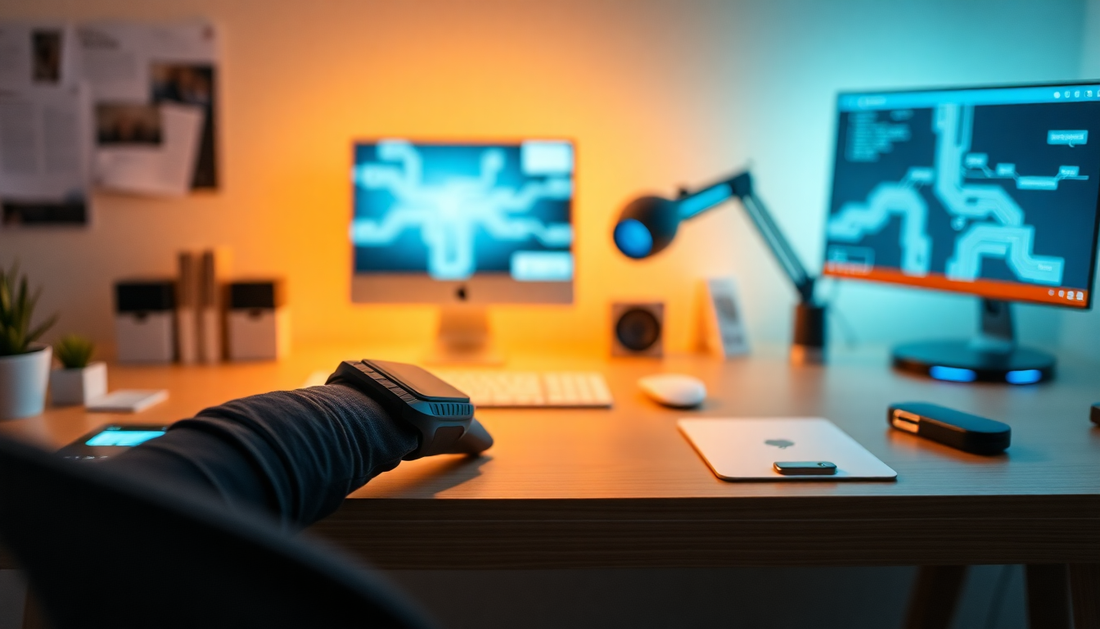
Introduction: The Case for 60-Second Microbreaks
Remote work has accelerated a culture of long, uninterrupted desk sessions. That increases musculoskeletal strain, digital eye strain, cognitive fatigue and stress. The good news: benefits from short, frequent microbreaks scale quickly. A 60-second microbreak repeated every 25 to 40 minutes can reset posture, relieve eye tension, boost circulation and refresh attention without causing a disruptive context switch.
This guide explains how to automate those 60-second breaks using three complementary systems: wearable triggers, sensor microzones, and circadian-aware lighting. It includes real-world implementations, DIY hardware options, automation blueprints, behavioral design for adherence and metrics to prove impact. The goal is an evidence-informed, privacy-first system remote workers can adopt in days and refine over weeks.
Why 60 Seconds Works: Physiology and Psychology
- Micro-movements improve circulation and reduce stiffness. Short movement spikes lower venous pooling and improve local glucose delivery.
- Microbreaks protect vision. The 20-20-20 rule (every 20 minutes look 20 feet away for 20 seconds) can be converted into a 60-second routine incorporating eye refocus and blinking.
- Cognitive replenishment. Brief pauses reduce mental fatigue and stabilize attention, often preserving overall productivity.
- Habit formation. Short, low-friction actions are easier to habitually perform than long exercises; automation increases compliance dramatically.
Core System Overview
An effective automated microbreak system has four parts:
- Wearable triggers that sense stillness, posture, heart rate and HRV.
- Sensor microzones that sense local context at the desk and reduce false triggers.
- Circadian and micro-cue lighting to nudge behavior gently.
- An orchestration layer that applies logic, triggers cues and logs outcomes.
Wearable Triggers: Signals, Devices and Rules
Wearables provide continuous, personal physiological and motion data. Use them as the primary sensor for detecting opportunity and need for a microbreak.
Useful signals from wearables
- Accelerometer/IMU: detects arm movement, wrist rotation, and general activity.
- Gyroscope and orientation: useful for detecting wrist orientation and gross posture cues.
- Heart rate and HRV: acute stress or cognitive load can be inferred when HR increases and HRV decreases relative to baseline.
- Skin temperature and galvanic response: less common but helpful for detecting arousal.
- On-device haptics: provide discreet feedback for a 60-second cue without audio.
Practical wearable choices
- Smartwatches: Apple Watch, Wear OS devices and Garmin offer rich sensors and haptic control.
- Rings: Oura Ring provides passive HR/HRV and is low-friction to wear all day and night.
- Fitness bands: Fitbit and Withings offer reliable step and movement detection and notifications.
- Specialized posture wearables: small clips or shirts provide direct posture measures at the chest or upper back.
Trigger algorithms and thresholds
Begin with simple rules and iteratively refine using logged data.
- Stillness trigger: no wrist/arm movement for 25 to 30 consecutive minutes while desk microzones indicate presence.
- Posture trigger: sustained forward tilt or shoulder roll beyond threshold for 90 seconds.
- Physiologic stress trigger: HR elevated >5 bpm or HRV reduced >8 to 10% relative to rolling baseline for 8 to 10 minutes.
- Hybrid trigger: combine stillness + chair occupancy + keyboard activity to avoid triggering during phone calls, meetings or lying down.
Sensor Microzones: Making Context-Aware Prompts
Sensor microzones are small, inexpensive sensors placed around the desk to provide context. They dramatically reduce false positives and enable targeted automations.
Key microzones and sensors
- Chair zone: reed switch, pressure mat or load cell to detect occupancy and shifts in weight distribution.
- Keyboard/mouse zone: keystroke events, USB HID activity or a small current sensor on the USB cable to detect typing bursts.
- Monitor/head zone: PIR sensor for presence, or a privacy-first head-pose detector running locally on a tiny board (e.g., Coral/Jetson) for gaze detection without cloud processing.
- Desk plane zone: contact sensors or accelerometers for detecting desk taps or micro-gestures.
DIY and low-cost hardware options
- ESP32 or ESP8266 boards for Wi-Fi-enabled microzone nodes, paired with PIR, FSR, or reed switches.
- Raspberry Pi Zero for small local processing and camera-based, on-device head pose estimation with privacy-preserving settings.
- Load cell + HX711 as a chair weight sensor to detect presence and large shifts.
- Off-the-shelf sensors: Philips Hue motion sensor, SmartThings presence sensors, or Wyze contact sensors.
Placement and false positive reduction
- Place the chair sensor under the seat cushion near the middle to detect presence and posture shifts.
- Position PIR or micro-camera to detect head orientation rather than the entire room, and process locally to avoid sending images to the cloud.
- Combine signals: require at least two microzones plus wearable stillness to trigger a microbreak. For example, wrist stillness + chair occupied + keyboard active for X minutes.
Circadian Lighting: Gentle, Effective Cues
Light is both a circadian regulator and an unobtrusive signaling medium. Tunable lighting can mark the passage of time, encourage microbreaks and support sleep hygiene.
How to use lighting as a cue
- Subtle pulses: a 60-second soft color shift or dim-to-bright pulse that is noticeable but not jarring.
- Color temperature changes: shift to cooler, higher CCT during morning work blocks and warmer tones as the day winds down.
- Integration timing: sync lighting pulses with wearable haptics for redundant cues that improve compliance.
Hardware options and integration
- Smart bulbs: Philips Hue, LIFX, GE Cync for ease of setup.
- Networked panels: Nanoleaf or Light Panels for more dynamic visuals.
- Tunable fixtures: professional tunable LED fixtures for accurate circadian lighting in home offices.
- Integration: Home Assistant, Apple HomeKit, or vendor APIs for direct scene control and automation.
Orchestration Layer: Where Logic Lives
Use an orchestration layer to combine sensor inputs, apply rules, trigger cues and log outcomes. Options range from cloud services to local automation hubs.
Orchestration platforms
- Local-first: Home Assistant or Node-RED running on a Raspberry Pi for privacy and rich integrations.
- Mobile-first: Apple Shortcuts or Android Tasker for watch-centric automations.
- Cloud-based: IFTTT or Zapier if you prefer vendor cloud integrations but be mindful of privacy and latency.
Sample automation logic patterns
Three automation patterns are especially useful:
- Cadence automation: simple timer-based cadence (every 25–30 minutes active work) with sensor confirmation.
- Adaptive automation: dynamic rules that consider HR/HRV, recent break history and time of day to vary frequency.
- Interrupt suppression: do-not-disturb windows and flow detection to delay cues during meetings or phone calls.
Detailed Automation Blueprints
Below are ready-to-adapt blueprints for common automation platforms. These are pseudocode and concepts you can implement in your chosen hub.
Home Assistant blueprint (concept)
trigger:
  - platform: state
    entity_id: sensor.wrist_motion
    to: 'still'
    for: '00:25:00'
condition:
  - condition: state
    entity_id: sensor.chair_occupied
    state: 'on'
  - condition: numeric_state
    entity_id: sensor.keyboard_activity
    above: 0
action:
  - service: notify.watch
    data: {message: 'Microbreak: 60s', haptic: true}
  - service: light.turn_on
    entity_id: light.desk_panel
    data: {scene: 'microbreak_pulse'}
  - service: input_boolean.turn_on
    entity_id: input_boolean.microbreak_active
  - delay: '00:01:00'
  - service: input_boolean.turn_off
    entity_id: input_boolean.microbreak_active
  - service: logbook.log
    data: {name: 'microbreak', message: '60s microbreak completed'}
Node-RED flow concept
- Input nodes: MQTT topics from wearable gateway, ESP32 microzones, and HR/HRV aggregator.
- Function nodes: smoothing, rolling baseline calculation for HRV, and stillness counters.
- Switch nodes: evaluate conditions and decide whether to trigger.
- Output nodes: HTTP call to watch, MQTT to smart lights, and Grafana/InfluxDB for logging.
Apple Shortcuts idea
- Trigger: watch detect inactivity or a time-based schedule.
- Action: haptic alert, start 60s timer, show guided breathing screen and turn on HomeKit microbreak scene.
Concrete Microbreak Routines (60-Second Templates)
Provide users with short, guided routines they can follow during the 60 seconds. Mixing posture, vision and breath yields the best returns.
Full 60-Second Routine
- 0-10s: Stand or sit straighter, chin tucks 5x, shoulder rolls 3x each direction.
- 10-30s: Eye reset: look far for 15s, blink intentionally for 5s, then near–far focus shifts 4x.
- 30-50s: Thoracic mobility: open chest, interlace fingers behind back and gently lift, hold 10s, release and repeat.
- 50-60s: 3 slow diaphragmatic breaths, reset posture and return.
Desk-Only 60-Second Routine (if cannot stand)
- Neck mobility: slow head circles or chin tucks 6x.
- Seated cat-cow: 3 slow arch and round cycles.
- Forearm stretches and wrist shakes to reduce typing tension.
Behavioral Design to Increase Long-Term Adherence
Automation helps, but habit design matters for adoption and retention.
- Default to automation on: reduce friction and decision fatigue for initial adoption.
- Make cues gentle, consistent and predictable to avoid alert fatigue.
- Provide immediate micro-rewards: subtle light coloration or a tiny animation acknowledging completion.
- Offer social accountability: team-level dashboards or optional shared streaks encourage compliance.
- Allow personalization: let users control cadence, cue intensity and do-not-disturb windows.
Privacy, Security and Ethical Considerations
Because sensor systems collect personal and behavioral data, design decisions should prioritize privacy and control.
- Prefer local processing: run automations and head-pose detection locally to avoid sharing camera streams.
- Minimize data retention: store aggregated counts and timestamps rather than raw sensor streams.
- Consent: obtain explicit consent before logging or sharing data, especially if teammates or managers see compliance metrics.
- Secure devices: keep firmware updated, enable encrypted communication (TLS), and separate IoT networks from primary home networks.
Measuring Impact: What to Track and How
Track a small set of KPIs to measure health and productivity outcomes. Keep dashboards simple and focused.
Suggested KPIs
- Microbreaks per day and % compliance versus target cadence.
- Average duration of microbreaks and completion rate when triggered.
- Self-reported discomfort and focus after work sessions via short daily or weekly surveys.
- Physiological trends: baseline HRV trends and sleep quality (if available).
- Work metrics: deep-focus session completion rate or interruptions per hour.
Tools for visualization and logging
- InfluxDB + Grafana on a Raspberry Pi for local dashboards.
- Home Assistant Recorder or SQLite for simple local logs and CSV export.
- Google Sheets via webhook for a low-effort cloud log, with privacy controls.
Real-World Case Study: Solo Consultant Adopts Automated Microbreaks
Context: A solo consultant spent 10+ hours daily in focused client work and reported neck pain and poor sleep. They implemented a low-cost system:
- Hardware: Existing smartwatch, a pressure mat under the seat, a Philips Hue bulb and a Raspberry Pi running Home Assistant.
- Rules: If wrist stillness for 30 minutes + chair occupied + keyboard active → send haptic + 60s soft amber pulse.
- Results after 6 weeks: 85% compliance with target cadence, self-reported neck pain reduced by 40%, and perceived sustained focus improved. HRV showed modest improvement overnight.
Troubleshooting and Common Pitfalls
- Too many false triggers: tighten conditions, require 2+ microzones, or increase stillness window.
- Alert fatigue: reduce haptic intensity or frequency, convert some cues to visible-only lighting signals.
- Meeting interference: integrate calendar checks to suppress prompts during events.
- Privacy concerns: remove camera-based detection or process frames locally and delete immediately.
Cost, Parts List and Time Estimates
Example budgets for three setups.
Minimal (under 100 USD)
- Existing smartwatch or fitness tracker (assume already owned).
- One smart bulb (25-50 USD) or smart plug controlling a lamp.
- Free orchestration: Apple Shortcuts or a mobile automation app.
- Time: 30 to 60 minutes to set up a basic rule.
Standard (150 to 400 USD)
- Midrange wearable or use existing watch.
- Chair presence sensor (20-50 USD) and a keyboard/motion sensor (10-40 USD).
- Smart bulbs or light panels (100-200 USD).
- Local hub: Raspberry Pi with Home Assistant (50-100 USD) if you want privacy-first orchestration.
- Time: 1 to 3 hours for full local setup and tests.
Advanced (500+ USD)
- Dedicated posture wearable, Oura Ring or advanced smartwatch with HRV streaming.
- Multiple calibrated sensors, programmable LED panels and a small edge device for on-device ML.
- Professional setup or custom Node-RED flows with Grafana dashboards.
- Time: up to a day for fine-tuning rules and dashboards.
30-Day Adoption Plan
Follow this progressive plan to maximize habit formation and system fit.
- Days 1-3: Install hardware and test a simple cadence rule (25 minutes active → cue).
- Days 4-10: Track compliance and adjust cue intensity and placement.
- Days 11-20: Introduce adaptive rules using HR/HRV or posture triggers for targeted breaks.
- Days 21-30: Add analytics, review KPIs, invite team members for optional shared goals, and lock in DND windows.
Advanced Topics: Machine Learning and Personalization
For enthusiasts, ML can personalize triggers by learning each user's cadence, stress signatures and work patterns.
- Supervised models: label microbreaks and non-break moments to train classifiers using wearable IMU and HR features.
- Unsupervised clustering: discover natural work/break segments and suggest optimal break cadence.
- Reinforcement learning: adjust cue schedules to maximize compliance while minimizing interruptions and measuring downstream productivity.
FAQ
- Will 60-second breaks reduce productivity? No. When used correctly they maintain or increase sustained attention and reduce errors over time.
- Do I need a smartwatch? No. You can begin with keyboard and chair sensors and a smart bulb, but wearables expand accuracy and adaptivity.
- Are cameras required for gaze detection? No. Cameras are optional and should be processed locally if used. PIR and head-angle wearable data are good alternatives.
- How often should I adjust thresholds? Start with defaults for 2 weeks, then tune based on compliance and comfort metrics.
Conclusion: Make Microbreaks Automatic, Gentle and Sustainable
Automated 60-second microbreaks are a high-return, low-cost intervention for remote workers. Combining wearable triggers, sensor microzones and circadian-aware lighting creates a system that is context-aware, minimally intrusive and easy to adopt. Start with a simple cadence and iterate: measure compliance, tune cues and respect privacy. In weeks you can reduce pain, improve focus and build a healthier rhythm to remote work.
Next Steps and Resources
- Pick one wearable or confirm your existing device supports haptics and basic telemetry.
- Install a chair sensor and a single smart bulb for lighting cues.
- Choose an orchestration layer: Home Assistant for local-first, Shortcuts for Apple-only, or Node-RED for visual flows.
- Implement the basic automation and log results for two weeks.
- Iterate on cadence and cues using the 30-day adoption plan above.
Automating microbreaks transforms a common workplace health recommendation into an effortless daily habit. With modest tech and thoughtful rules, remote workers can protect their bodies and minds without sacrificing productivity.