
Ambient Choreography for Home Offices: Automate Micro-Movements with Wearables, Sensor Microzones & Circadian Lighting
Introduction: The Quiet Revolution in Home Office Design
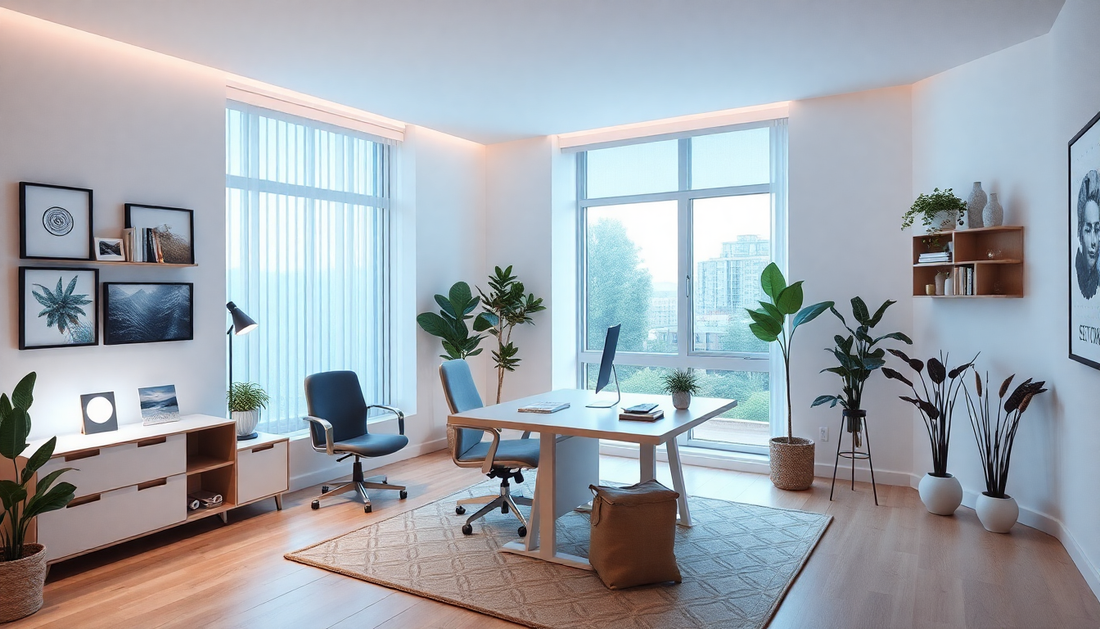
Work-from-home is now a mature normal in 2025. The conveniences are obvious, but so are the costs: long sedentary bouts, disrupted circadian rhythms, and blurred boundaries between work and rest. Ambient choreography is a design approach that turns the home office into an intelligent, caring partner. By combining wearable data, spatially precise sensor microzones, and circadian-aware lighting, you can automate tiny, purposeful movements and environmental changes that protect health, sharpen focus, and preserve flow.
This long-form guide explains what ambient choreography is, why it matters for home offices, how to build it, and how to measure success. You’ll find practical recipes, platform recommendations, privacy design patterns, troubleshooting tips, and a roadmap to scale from a single automation to a full ambient choreography system.
Why Micro-Movements and Circadian Alignment Matter
- Micro-movements interrupt long sedentary bouts and improve circulation, metabolic function, and musculoskeletal comfort.
- Short movement breaks reduce cognitive fatigue and restore attention more effectively than prolonged single breaks.
- Circadian-aligned lighting helps consolidate sleep, improves daytime alertness, and reduces evening alerting effects from artificial light.
- Combining movement cues with circadian cues produces compound gains—movement increases alertness in the daytime while circadian dimming supports evening winding down.
Core Concepts: Wearables, Sensor Microzones & Circadian Lighting
Ambient choreography rests on three pillars:
- Wearables: personal sensors (smartwatches, rings, smart clothing) that capture physiology and movement.
- Sensor microzones: spatially distributed sensors that identify where and how you move inside the room—desk, standing area, doorway, windowsill, corridor.
- Circadian lighting: tunable light systems that change spectral content and intensity across the day and respond to system inputs.
Design Principles: Human-Centered Automation
- Subtlety: gentle haptics, soft lighting shifts, and short cues beat intrusive alarms.
- Context awareness: avoid nudges during meetings, calls, or flow states.
- Short, frequent interventions: 30–120 second micro-movements repeated through the day are easier to adopt than long scheduled breaks.
- Personalization: use individual baselines and preferences to tune timing and intensity.
- Privacy and control: local processing where possible, transparent UI for consent and pause.
Deep Dive: Wearables — What To Use and What They Tell You
Wearables are the most personal sensors in the system. They provide the direct signal of human state and benefit from being continuously carried.
Types of wearables and strengths
- Smartwatches: multi-sensor hubs with accelerometer, gyroscope, photoplethysmography (PPG), haptics, and app control. Best for real-time nudges and on-device feedback.
- Smart rings: low-profile devices with high-fidelity sleep and subtle motion detection. Great for unobtrusive tracking and sleep/circadian phase estimation.
- Clothing/IMU patches: sensors embedded in garments or adhesive patches provide the highest fidelity posture and movement detection for ergonomic feedback.
- Chest straps / biometric patches: high-quality HR/HRV data used for stress detection and recovery profiling.
Key signals to capture
- Steps and micro-step events
- Posture transitions (sit-to-stand, stand-to-sit)
- Accelerometer burst patterns distinguishing purposeful movement vs fidgeting
- Heart rate (HR) and heart rate variability (HRV) for stress, engagement, and recovery windows
- Skin temperature and sleep-related signals to estimate circadian phase
Practical integration patterns
- Use secure APIs or local sync to export event-level signals to your automation platform.
- Prefer event-based triggers (e.g., 'standing detected') rather than continuous raw streams for lower latency and simpler logic.
- Allow user-level thresholds: what counts as a stand transition for one person may be different for another.
Sensor Microzones: Spatial Intelligence for Meaningful Cues
Microzones make motion meaningful. A motion sensor near the door signals a context switch differently than motion near the desk.
How to partition your office into microzones
Break the room into functional zones that map to behaviors you care about:
- Desk zone: chair pressure sensors, under-desk IMU, or desk-edge proximity.
- Standing zone: mat sensors or proximity at adjustable desk locations.
- Doorway/entry zone: identifies transitions in and out of the office.
- Window / daylight zone: detects time spent near natural light for exposure tracking.
- Movement corridor: short walking path sensors that encourage micro-walk loops.
Sensors and mounting options
- Pressure mats or smart seat sensors for reliable seated detection.
- PIR or radar occupancy sensors for corridor and doorway tracking.
- BLE beacons and RSSI-based presence for coarse spatial estimation without cameras.
- Floor vibration sensors for high-resolution step detection without line-of-sight.
Privacy-preserving choices
- Prefer non-imaging sensors (pressure, radar, PIR) to cameras for privacy.
- Process raw signals locally and emit only high-level events (e.g., 'left-desk') to cloud services.
Circadian Lighting: Spectra, Intensity and Timing
Modern tunable lighting systems control both intensity and spectral distribution. The biologically relevant concept is melanopic illuminance, which correlates with circadian stimulation.
Core lighting modes
- Morning boost: higher intensity and cooler color temperature (more blue content) to promote alertness and phase advancement.
- Focus mode: brighter, neutral-cool white for sustained attention in mid-morning and early afternoon.
- Afternoon maintenance: balanced spectra with moderate intensity to prevent post-lunch dips.
- Evening wind-down: warm, low-intensity light with minimal melanopic stimulation to allow melatonin rise.
Dynamic and reactive lighting
- Base the schedule on local sunrise/sunset or a personal sleep schedule.
- Allow lighting to react to wearable or microzone events—for example, brief cool-light flashes paired with standing cues to boost alertness.
- Use gradual transitions (5–20 minutes) to avoid abrupt changes that break concentration.
Selecting hardware
- Tunable white fixtures and multi-channel LED panels rather than simple RGB bulbs for accurate circadian control.
- Lighting controllers that support open protocols (e.g., Zigbee, Thread, Matter) and provide local control APIs.
- Consider integrable daylight sensors to combine natural and artificial light control.
Architectural Choices: Where to Run Your Automations
Automation architecture affects latency, privacy, reliability, and extensibility.
Local-first vs cloud-first
- Local-first (recommended for privacy and reliability): run automations on a local hub (Home Assistant, Node-RED on a small server, or similar). Local control ensures low latency and keeps biometric data private.
- Cloud-first: easier integrations with some ecosystem services but introduces latency, potential outages, and more data exposure.
Platform suggestions (2025)
- Home Assistant: powerful local automations, wide integrations, and a large community ecosystem.
- Node-RED: visual flows ideal for prototyping complex choreography logic.
- Apple HomeKit + Shortcuts: strong privacy and smooth integration for Apple Watch users; more constrained cross-vendor support.
- Matter & Thread: use these for device interoperability and low-latency control; helpful when using mixed-brand devices.
Automation Logic Patterns
Design your choreography using composable rules that combine wearable events, microzone events, time, and lighting state.
Common rule archetypes
- Duration triggers: 'If seated for X minutes, then nudge.'
- State transitions: 'When doorway microzone is crossed, start a 2-minute walking encouragement.'
- Physiology triggers: 'If HRV indicates stress, reduce ambient stimulation and cue a breathing microbreak.'
- Time-windowed modifiers: 'Only run energizing cues between 9:00 and 16:00; run wind-down sequences after 20:00.'
Recipe library: Practical Automations You Can Build Today
Below are long-form recipes you can implement and adapt.
Recipe 1 — Gentle Desk Stretch Sequence
- Trigger: chair pressure sensor reports continuous sitting for 45–60 minutes.
- Context check: calendar sensor shows no scheduled meeting for the next 10 minutes; microphone/call presence sensor shows no active call.
- Action sequence:
- Send a single haptic nudge to smartwatch with a soft tone.
- Dim desk lamp to 35% warm tone for 90 seconds to create a visible cue.
- Play a 60-second guided stretch audio if headphones are not active, or display a short animation on the workstation.
- If user stands within 90 seconds, log a successful break and slightly reward by advancing ambient playlist or showing a positive micro-feedback.
- Fallback: if user ignores cue twice in a row, offer an opt-in adaptation to lengthen interval or change nudge type.
Recipe 2 — Micro-Walk Loop to Boost Afternoon Energy
- Trigger: wearable detects low step count and heart rate trending down between 13:00 and 16:00.
- Action sequence:
- Pulse overhead light to a cooler tone for 10–15 seconds to prime alertness.
- Activate corridor microzone music cue or subtle sound indicating a 90-second walking loop.
- Track walk completion through corridor sensors and give visual confirmation on desk lamp color change.
Recipe 3 — Circadian Wind-Down Orchestration
- Trigger: 120–150 minutes before scheduled bedtime or wearable indicates increasing sleepiness in the evening.
- Action sequence:
- Gradually lower general lighting over a 60–90 minute window while shifting to 2200–2700K.
- Reduce screen blue-light output in synchronized OS-driven mode and enable night mode on peripherals.
- Offer a breathing or body-scan micro-session on the wearable.
Example local automation (YAML-style pseudocode for Home Assistant)
'alias: desk micro break reminder'
'trigger:'
'  - platform: state'
'    entity_id: binary_sensor.chair_pressure'
'    to: "on"'
'    for: "00:50:00"'
'condition:'
'  - condition: state'
'    entity_id: binary_sensor.meeting_presence'
'    state: "off"'
'  - condition: state'
'    entity_id: binary_sensor.headphones'
'    state: "off"'
'action:'
'  - service: notify.wearable_haptics'
'    data:'
'      message: "Time for a 2 minute stretch"'
'  - service: light.turn_on'
'    target:'
'      entity_id: light.desk_lamp'
'    data:'
'      brightness_pct: 40'
'      color_temp: 300'
'  - delay: "00:02:00"'
'  - service: light.turn_off'
'    target:'
'      entity_id: light.desk_lamp'
Note: Adapt entity names and device services to your platform and device integrations. The logic remains the same across systems.
Data Strategy: What to Store, What to Summarize
Data helps you tune automations and demonstrate value. Balance measurement needs with privacy.
Metrics to collect locally
- Number of micro-breaks triggered and completed per day
- Average sedentary bout length
- Stand transition count
- Daily step count and micro-step distribution
- Lighting exposure timeline and melanopic equivalent exposure (if available)
Privacy-preserving storage pattern
- Keep raw sensor streams local and delete after short retention (e.g., 7 days) unless explicitly consented.
- Store aggregated daily summaries for longer periods for trend analysis.
- Allow export and manual deletion by the user.
UX Considerations: Make It Feel Natural
- Onboarding: walk users through why each sensor is used and what value it provides.
- Control panel: quick toggles for pause, intensity, and scheduling modes (work, deep focus, meeting).
- Feedback loop: show progress and small wins to motivate continued use (e.g., number of sedentary hours reduced compared to baseline).
- Accessibility: provide non-visual cues (haptics, audio) and high-contrast displays for those with visual impairments.
Troubleshooting and Common Pitfalls
- Notification fatigue: If users disable automation, reduce frequency or change cue modality before turning off entirely.
- Sensor drift and placement: test sensor locations for false positives (e.g., a pressure mat that triggers when leaning heavily on a desk).
- Wearable sync issues: ensure wearable firmware and companion apps are kept up-to-date; push event-based sync where possible.
- Over-automation: keep a manual 'hold' or 'snooze' that is easy to access for deep focus or interruptions.
Case Studies (Hypothetical Scenarios to Inspire Implementation)
Case A — The Focused Designer
Background: A UX designer with deep work blocks in the morning and meetings in the afternoon.
- Solution: A morning-focused schedule uses stable cool light and minimized nudges to respect flow; after 60–90 minutes sedentary, a subtle desk light pulse encourages a 30-second stretch. Afternoon micro-walk loops are introduced between meetings.
- Result: The designer keeps flow in the morning while reducing back stiffness and post-meeting grogginess.
Case B — The Parent with Fragmented Day
Background: A parent balancing childcare and work with variable sleep patterns.
- Solution: Wearable sleep-phase estimates adjust evening light earlier if late nights are detected, while microbreak cues are shortened around predictable childcare windows.
- Result: Flexible choreography respects parenting demands and supports better sleep consolidation over time.
Advanced Topics and Future Directions
- Adaptive personalization: machine learning models that recommend timing and cue modalities for each user, ideally using federated learning to preserve privacy.
- Multimodal orchestration: combine scent diffusion, audio textures, haptics, and lighting into richer cues for different situations (e.g., mobility vs relaxation).
- Cross-room choreography: coordinate cues across home zones to encourage meaningful walking loops and distributed movement patterns.
- Integration with task managers: align micro-movements with task transitions to use natural cognitive breaks for physical resets.
Implementation Roadmap: From Experiment to Habit
Follow this phased roadmap to build and scale ambient choreography in your home office.
Phase 0 — Audit and Baseline
- Inventory devices and sensors you already own.
- Draw a microzone map of the room and assign sensors.
- Collect a 7-day baseline of sitting time, step counts, and lighting exposure.
Phase 1 — One Simple Automation
- Implement a single gentle reminder tied to chair pressure or smartwatch sitting detection.
- Choose a gentle modality (single haptic pulse + short light cue).
- Measure engagement for 2 weeks and adjust thresholds.
Phase 2 — Expand Cues and Add Circadian Lighting
- Add a mid-afternoon energy micro-walk and a progressive evening dim sequence.
- Tune lighting to personal sleep schedule rather than generic sunrise/sunset if needed.
Phase 3 — Iterate, Personalize, and Scale
- Introduce user preferences, meeting-aware logic, and adaptive timing.
- Collect weekly subjective measures (focus, fatigue) to validate the system.
How to Evaluate Success
Set measurable goals and evaluate with both objective and subjective measures.
- Objective KPIs: reduction in average sedentary bout length, increased stand transitions, increased daily micro-break completion rate.
- Subjective KPIs: weekly self-reported focus, perceived energy, and sleep quality scores.
- Adoption KPIs: percent of automated nudges accepted (user stands or moves after cue) and automation disabled rate.
Security and Ethical Considerations
- Minimize third-party data sharing: store raw biometrics locally and expose only aggregates externally if needed.
- Use secure onboarding: encrypted pairing for wearable and sensors, strong local network passwords, and device firmware updates.
- Make consent granular: let users enable or disable specific classes of automation (movement, circadian, physiology-driven nudges).
- Transparent defaults: default to conservative nudging intensity and explain the reason for each automation.
Budgeting and Device Recommendations
Costs vary depending on whether you want a minimal system or a full-featured orchestration. Example tiers:
- Minimal ($): a smartwatch or smart ring you already own + one smart lamp + cheap pressure mat or PIR sensor. Good for basic nudges and circadian light control via a single tunable bulb.
- Mid-tier ($$): tunable lighting fixtures for ceiling or panel lights, multiple microzone sensors (pressure mat, doorway PIR, corridor sensor), and a smartwatch + smart ring combo for redundancy.
- Pro ($$$): multi-channel LED panels or tunable fixtures, embedded IMUs in seating/desk, multiple wearable sensors for accurate HR/HRV, and a local automation server with privacy-focused storage.
Common Questions
Will constant nudges annoy me?
They can if poorly designed. Start with conservative settings, allow snooze, and vary modalities. Most users tolerate and even appreciate subtle, well-timed cues once they see short-term benefits.
Is light really that important?
Yes. Light is the primary zeitgeber for the circadian system. Even modest changes in evening spectral content and timing can improve sleep timing and daytime alertness over weeks.
Can this work if I have irregular schedules?
Yes. Use wearable-driven sleep phase estimation to adapt lighting and cue schedules. Flexibility is a core advantage over rigid schedule-only systems.
Ethical note on monitoring family members
Place sensors and collect data only for consenting adults. For shared spaces, use anonymized, coarse events or explicit user opt-in to avoid surveillance concerns.
Appendix A — Example Node-RED Flow Concepts
Node-RED can implement choreography visually. High-level flow design:
- Input nodes: wearable event webhook, microzone sensor states, calendar and meeting presence.
- Logic nodes: timers, context storage for sedentary bout length, decision nodes for context checks.
- Action nodes: call to wearable haptic API, light control nodes, media player nodes.
- Logging nodes: write aggregated events to local database for trend analysis.
Appendix B — Example Data Model for Local Storage
Store daily aggregates with simple schema:
- date
- total_micro_breaks_triggered
- total_micro_breaks_completed
- avg_sedentary_bout_minutes
- daily_step_count
- melanopic_exposure_index
Final Thoughts: Start Small, Iterate, Respect the Human
Ambient choreography for home offices is powerful because it works with human attention rather than against it. It leverages subtle environmental changes and lightweight physiological signals to create a supportive workplace that nudges movement and respects circadian biology. Begin with one small automation, collect simple metrics, and tune the system to your life. Prioritize privacy, user control, and gradual adoption: the best systems are invisible helpers that make days healthier and more productive without demanding constant attention.
Next Steps Checklist
- Audit devices and draw your microzone map today.
- Implement one wearable-triggered desk break automation this week.
- Install or schedule circadian lighting transitions and run them for two weeks as a baseline.
- Collect KPIs for two weeks and adjust thresholds, modality, and cadence as needed.
Want help designing a phased implementation plan for your specific home office layout and devices? Save this article and return to the checklist after your audit—small, iterative changes lead to durable habit shifts.