
Affordance-Driven Home Offices: Embed Wearable Triggers, Sensor Microzones & Circadian Lighting to Automate Microbreaks
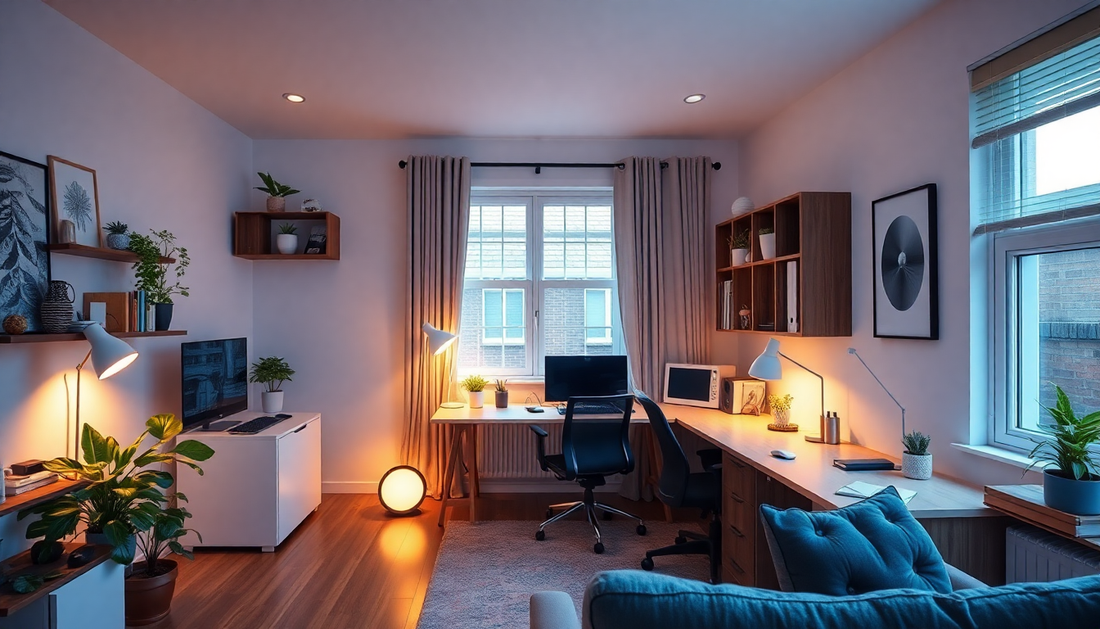
Introduction: The New Frontier of Home Workspaces
By 2025, hybrid and remote work are mainstream. The home office is no longer a spare table — it is a primary environment that shapes attention, health and long-term wellbeing. Affordance-driven design turns that environment into an active partner: it uses embedded cues and automated actions to nudge workers toward regular microbreaks, improved posture and better circadian alignment without constantly interrupting flow.
This long-form guide explains how to combine wearable triggers, sensor microzones and circadian lighting to create a practical, privacy-first system that automates microbreaks. It includes the theory, implementation blueprints, device recommendations, detailed automation flows and troubleshooting guidance so you can build a robust setup at home.
What Does Affordance-Driven Mean in the Context of Home Offices?
The term affordance comes from design and cognitive science. An affordance is a property of an object or environment that suggests how it can be used. In a home office, an affordance-driven system provides clear, subtle signals that make the healthy choice the easiest choice. Instead of intrusive alarms or rigid timers, the environment itself offers gentle prompts: a change in light that hints at standing up, a gentle wrist buzz paired with a dimming sequence that nudges deep breaths, or a seat pressure sensor that signals when posture needs resetting.
Why Microbreaks Matter: Evidence and Mechanisms
- Attention and fatigue: Short, regular microbreaks (60 to 180 seconds) restore attentional resources and reduce mental fatigue during long cognitive tasks.
- Musculoskeletal health: Frequent repositioning and short stretches reduce cumulative strain on the neck, shoulders and lower back compared with prolonged static sitting.
- Circadian and sleep effects: Light exposure that aligns with natural rhythms improves daytime alertness and nighttime sleep quality.
- Stress regulation: Brief breathing exercises and movement breaks reduce sympathetic activation and can increase heart rate variability over time.
Affordance-driven systems aim to automate these small wins by embedding cues in the environment and using data from wearables and microzones to time interventions precisely.
Core Architectural Overview: How the System Works
A high-level architecture has four layers:
- Personal sensors: wearables offering activity, HR and HRV; optionally skin temperature or galvanic sensors for stress detection.
- Environmental microzones: small, localized sensors that detect presence and posture at the desk, standing area, couch and transition points.
- Actuators and cues: circadian lighting, smart speakers, haptic feedback via wearables and display notifications.
- Local automation and policy engine: a privacy-first controller (Home Assistant, Node-RED with a local MQTT broker) that fuses signals and executes rules.
Key design tenets: local-first processing, multi-sensor confirmation to prevent false triggers, adaptive thresholds and unobtrusive cues that respect deep work.
Wearable Triggers: Types, Signals and Best Practices
Wearables are central because they provide personal context that environmental sensors alone cannot. Focus on three categories of triggers:
- Activity-based triggers: step counts, posture changes and liveness. Useful for detecting inactivity and confirming microbreak completion.
- Physiological triggers: heart rate, heart rate variability and skin conductance. Effective for stress detection and urgency escalation.
- Contextual triggers: whether the device is near the desk microzone. Combined with environmental sensors, these reduce false alarms.
Best practices for wearable triggers
- Favor devices that export basic metrics locally or allow secure API integration with your hub.
- Sample at a cadence that balances responsiveness and battery life: 30–60 second intervals are usually sufficient for microbreak timing.
- Offer user control: allow snoozing, do-not-disturb during meetings and adjustable sensitivity settings.
Sensor Microzones: Design, Placement and Technologies
Microzones are small detection areas that disambiguate what you are doing. A well-designed microzone map is the difference between helpful nudges and constant, ignored alerts.
Design steps
- Map functional areas: mark the desk chair zone, standing desk area, couch, kitchen threshold and entry to the workspace.
- Pick sensors matched to the task: pressure sensors for chairs, BLE beacons for proximity, PIR for general motion, UWB where centimeter precision is required, and door sensors for transitions.
- Size zones conservatively: smaller zones reduce ambiguous overlap between areas.
- Fuse signals: require at least two corroborating sources (for example, wearable proximity + seat pressure) before triggering a break cue.
Common microzone technologies and when to use them
- BLE beacons with RSSI: inexpensive, good for coarse proximity but can have variable signal strength around furniture and walls.
- UWB anchors: expensive but provide high-accuracy localization, excellent for shared spaces or where fine-grain zoning is necessary.
- PIR motion sensors: cheap and reliable for general presence, useful to detect leaving the desk zone.
- Pressure mats and smart cushions: direct evidence of seated posture and presence, low false-positive rate for seat detection.
Circadian Lighting: Principles and Implementation
Circadian lighting is more than warmth vs blue light. It is an active cueing channel that can prime alertness, signal break timing and support evening recovery.
Practical lighting patterns for microbreak automation
- Wake and focus window (morning): higher correlated color temperature (CCT) and moderate to high intensity to boost alertness.
- Midday maintenance: stable lighting with small, detectable intensity nudges to signal a recommended movement break after long focus windows.
- Late afternoon transition: gradually reduce intensity and lower CCT to suggest winding down and reduce evening arousal.
- Microbreak pulses: subtle intensity or hue shifts lasting 2–10 seconds with low contrast to avoid jolting the user.
Hardware selection tips
- Choose tunable white or full-spectrum fixtures compatible with Matter, Hue or LIFX and that integrate with Home Assistant.
- Use multiple light zones (desk, ceiling, bias lighting behind the monitor) to create layered cues without causing glare.
- Calibrate brightness and color per user: what is energizing for one person can be intrusive for another.
Automation Strategies: Rules, Escalation and Personalization
Good automation combines conservative initial settings with rapid ability to personalize. Start simple and let the system learn.
Suggested rule hierarchy
- Passive monitoring: gather data for one week without automated nudges to establish baseline patterns and user tolerance.
- Soft nudge phase: introduce unobtrusive cues (light pulse, gentle haptic) when thresholds are crossed.
- Escalation phase: if user ignores soft nudges repeatedly, upgrade to more obvious prompts (audio cue or on-screen banner) but allow immediate snoozing.
- Personalization: adapt interval and intensity based on compliance and explicit user preferences. Use simple moving averages to adjust sit time thresholds by 10–20% every week if compliance is high or low.
Detailed Automation Blueprints
Below are practical, implementable automation flows. They assume a local automation hub like Home Assistant with access to wearable telemetry via integrations or an intermediary like Gadgetbridge, OpenTracks export or the device vendor's local API.
Flow A: Inactivity-Led Microbreak (Conservative Default)
- Preconditions: desk microzone occupied AND wearable steps < 5 in 25 minutes.
- Action: pulse desk light by 8% for 5 seconds + haptic buzz on wearable + show on-screen 60-second breathing exercise option.
- Verification: if wearable steps >= 20 within 3 minutes OR microzone reports 'left desk', mark completed; otherwise allow one gentle reminder after 90 seconds, then escalate to a 60-second guided stretch audio.
- Learning: track completion ratio. If user completes >75% of prompts, increase inactivity threshold to 30 minutes in the next cycle; if <25%, reduce to 20 minutes and soften cues.
Flow B: Physiological Escalation (Stress or HRV-Based)
- Preconditions: wearable reports HRV below user-specific baseline for 15+ minutes OR heart rate elevated above baseline by 10% for 15+ minutes while microzone indicates desk presence.
- Action: dim lights to 70% and warm the color temperature by 1500K over 60 seconds, play a 2-minute guided breathing track, and offer a quick 'stand and stretch' instruction.
- Escalation: if physiological markers do not improve after 5 minutes, extend break to 5 minutes and suggest stepping outside or a short walk to modulate autonomic state.
Flow C: Deep Work Mode with Scheduled Microbreaks
For knowledge work requiring long focus, integrate deep work sessions with scheduled microbreaks that minimize context switching.
- User triggers deep work mode (e.g., 50 minutes). During the session, suppress low-priority nudges but still allow physiological escalation.
- At the end of focus window, use a layered cue: gentle desk light pulse, wearable buzz, and soft sound to indicate microbreak allowed time.
- Allow a single 2-minute snooze if the user is in flow; otherwise require a 90–180 second movement break before allowing the next deep session.
Sample Home Assistant Automation Snippet
Use this as a conceptual example. Adapt entity names and thresholds to match your devices.
- alias: desk_inactivity_microbreak
  trigger:
    - platform: numeric_state
      entity_id: sensor.wearable_steps_rolling
      below: 5
      for: '00:25:00'
  condition:
    - condition: state
      entity_id: binary_sensor.desk_pressure
      state: 'on'
  action:
    - service: light.turn_on
      data:
        entity_id: light.desk_lamp
        brightness_pct: 80
    - service: notify.wearable
      data:
        message: 'Time for a quick break: 60 seconds to stand or stretch'
    - delay: '00:03:00'
    - choose:
        - conditions:
            - condition: numeric_state
              entity_id: sensor.wearable_steps_rolling
              above: 20
          sequence:
            - service: logbook.log
              data:
                name: Microbreak
                message: Completed
        - default:
            - service: notify.persistent_notification
              data:
                message: 'Break not detected. Try a seated stretch or step away for 2 minutes.'
  mode: single
Adaptive Learning and Personalization
Make the system learnable and transparent.
- Weekly digest: show trends such as average sit time, break completion rate and HRV baseline changes with suggested adjustments.
- Auto-tuning: use a simple rule-based tuner (exponential moving average) to slowly adapt thresholds rather than aggressive daily changes.
- User feedback loop: allow quick responses like 'too frequent', 'too slow', 'good' to train preference weights.
Privacy and Security: Local-First Design
Privacy is critical when combining location and physiological data.
- Local processing: run automation and data fusion locally on a small server or Raspberry Pi. Use a local MQTT broker to transport events securely on your home network.
- Minimize cloud telemetry: avoid sending raw HR or location traces to cloud services. If needed, send aggregated or anonymized metrics with explicit user consent.
- Retention policies: auto-delete raw biometric windows after a short retention period (7 to 30 days) and persist only derived summaries long-term.
- Access control: set up strong network segmentation for IoT devices and use multi-factor authentication for remote access to your automation hub.
Hardware Recommendations in 2025: Price and Performance Tiers
Choose hardware based on the fidelity you need and your budget.
- Budget (under 300 USD): a basic smartwatch or fitness band that exports step and HR data, 2–3 BLE beacons, a pressure mat for the chair, and a tunable smart bulb.
- Mid-range (300 to 800 USD): smartwatch with HRV support and local integration, multiple BLE beacons or PIR sensors, a quality pressure cushion, two-zone tunable lighting and a mid-range SBC (Raspberry Pi 4 or equivalent) running Home Assistant.
- Pro (800+ USD): UWB anchors for room-scale localization, enterprise-grade sensors, multiple tunable fixtures, a dedicated NUC-class local server for on-device ML personalization and higher-grade wearables that provide richer biosignals.
Integration Patterns and Interoperability
Interoperability is key. Favor standards when possible.
- Matter and Thread-compatible lights and sensors simplify discovery and control.
- MQTT is a de-facto local integration layer for sensors and custom devices.
- Home Assistant and Node-RED provide complementary strengths: HA is excellent for device management and state, Node-RED for complex event flow and orchestration.
- APIs: use vendor local APIs or community integrations rather than pushing everything to the vendor cloud.
Behavioral Design and Nudge Theory: Gentle Persuasion
Design cues to support behavior change without coercion.
- Make the desired action easy and short. Microbreaks should be achievable and non-disruptive.
- Use social-proof and gamification carefully: a personal streak tracker can help initially, but avoid public leaderboards for intimate health metrics.
- Respect autonomy: always allow snoozing or dismissal and provide clear explanations for why a cue fired.
Accessibility and Inclusive Design
Ensure the system works for people with varied abilities.
- Offer multimodal cues: haptic, audio, visual and on-screen prompts so users with different sensory needs can choose what works.
- Adjust default durations and movement suggestions for users with mobility limitations; suggest seated stretches or breathing instead of walking if needed.
- Localization: provide clear, simple language and avoid jargon in prompts and logs.
Scaling to Shared or Multi-User Households
Shared spaces introduce complexity: multiple users with different preferences and privacy needs.
- Per-user profiles: ensure wearables identify the active user and route prompts appropriately.
- Zone-level shared rules: define household-wide quiet hours and bright-cue windows to avoid conflict.
- Privacy boundaries: keep each user's physiological data isolated and accessible only to them, with household-level aggregate stats optionally shared.
Costs vs Benefits: Estimating ROI for Your Home Office
Quantifying ROI for home automation aimed at health is partly personal, but benefits typically fall into these buckets:
- Improved sustained productivity per workday due to fewer lapses and higher attentional resilience.
- Reduced incidence of sedentary-related discomfort and fewer breaks from pain-driven interruptions.
- Improved sleep and recovery from better circadian lighting, translating into better performance over weeks.
Even modest improvements — one additional high-quality hour of focused work per week or fewer pain interruptions — can justify modest hardware investments.
Common Problems and How to Fix Them
- False positives (too many alerts): increase multi-sensor confirmation, lengthen inactivity windows or add a flow-detection suppression when a meeting is active.
- Low compliance: change cue modality, reduce frequency, or provide stronger rationale in-app explaining why the microbreak matters.
- Sensors drifting: perform monthly recalibration for pressure mats, and verify beacon RSSI in new furniture arrangements.
- Battery drain on wearables: reduce sensor polling frequency or switch to batched uploads to the hub. Use longer inference windows for non-urgent triggers.
Advanced Topics: Local Machine Learning and Predictive Breaks
For advanced users, local ML models can predict optimal times for breaks by learning patterns of productivity, physiological fluctuation and user response. Implementations generally follow these steps:
- Collect anonymized event data locally for several weeks.
- Train lightweight models on-device or on a local server (decision trees, gradient boosting or tiny neural nets) to predict high-yield break windows.
- Use model confidence to determine whether to nudge proactively or stick to conservative rules.
Always preserve the ability to opt-out of ML-driven suggestions and keep training and inference local to maintain privacy.
Step-by-Step Implementation Plan (8-Week Roadmap)
- Week 1: Inventory existing devices and map microzones. Install Home Assistant or your chosen hub.
- Week 2: Add basic sensors: one chair pressure mat and a wearable integration. Start passive monitoring.
- Week 3: Implement conservative inactivity automations (soft nudges). Monitor for false positives.
- Week 4: Add circadian lighting rules and tune morning/evening profiles. Introduce microbreak pulses.
- Week 5: Introduce physiological triggers (HR/HRV) with escalation rules. Ensure privacy settings are locked down.
- Week 6: Begin adaptive tuning and offer user-level personalization options in the UI.
- Week 7: If desired, add advanced sensors (UWB, more beacons) and extend zone coverage to common areas.
- Week 8: Conduct a review, generate a weekly digest, collect feedback and finalize retention policies.
Case Study: Prototype Setup for a Remote Knowledge Worker
Meet Alex, a software engineer working from home. Alex set up the following:
- Wearable: smartwatch with HR and HRV export to local hub.
- Sensors: pressure mat under office chair, BLE beacon on desk, PIR at room entrance.
- Lights: tunable desk lamp and bias lighting behind monitor.
- Hub: Raspberry Pi 4 running Home Assistant and MQTT broker; Node-RED for flow orchestration.
After one month, Alex reported fewer mid-afternoon crashes, better nightly sleep and a 20 percent reduction in neck discomfort during intensive weeks. Automated weekly summaries helped Alex refine break timing to better match personal circadian peaks.
Conclusion: Start Small, Iterate, Respect Privacy
Affordance-driven home offices are not about replacing human judgment — they are about making healthy choices easier and invisible when possible. Start with one microzone and a single wearable trigger. Build conservatively, prioritize local processing and give users control over frequency and modality of cues. Within weeks you can move from passive monitoring to a responsive system that protects your health and preserves your focus.
Frequently Asked Questions
- How many microbreaks per day are optimal? Aim for frequent, short breaks: roughly one microbreak every 25 to 50 minutes of focused activity, but personalize based on task and comfort.
- Will automation reduce deep work opportunities? No, if configured for deep work and flow detection. Use a deep work mode that permits longer uninterrupted blocks with physiological overrides for urgent stress signals.
- Do wearables need continuous cloud connectivity? No. Favor devices that can export necessary metrics locally or support periodic syncing. Local-first approaches greatly reduce privacy risk.
Ready to transform your home office into an affordance-driven system? Start by mapping one microzone, enable wearable integration and try a conservative inactivity nudge for two weeks — then iterate based on real behavior.